Magical Fees & Tariffs
Built for ShopifyMandatory fees, handled automatically
4.9 ★ (127 reviews) · Shopify App Store
Stop calculating deposits, eco-fees, and surcharges by hand. Define your rules once and every order gets the right fees, displayed transparently from product page to checkout.
Start from a template
34 ready-made fees for container deposits, mattress recycling, battery fees, tariffs, and card surcharges, with the statutory amount and receipt wording already filled in. Activate in one click.
Set rules once, done forever
Configure your fee logic one time and the app applies the correct charges to every order automatically.
Full transparency at checkout
Fees appear on product pages, in the cart, and at checkout so customers always know what they're paying.
Any fee type, any region
Fixed, percentage, location-based, or payment-method fees. Handle every regulatory requirement from one dashboard.
Use Cases
Magical Fees & Tariffs handles a wide range of fee scenarios — from government-mandated tariff surcharges and credit card & payment method surcharges to everyday recycling fees.
Tariff Surcharges
2Pass customs duties and import tariffs through to customers at checkout with transparent, per-product surcharges. The 2025 U.S. tariff wave drove a surge in merchant demand—tariff surcharges now account for 40%+ of new Magical Fees installs. Merchants importing dancewear, crane parts, shelving, coffee, and plant nursery stock need percentage-based fees applied by destination country, often with per-product HS code targeting. Magical Fees calculates and applies the correct tariff amount so your margins stay protected as trade policies change.
Retail Delivery Fees
Charge state-mandated retail delivery fees (Colorado, Minnesota, and others) automatically at checkout. Magical Fees applies the correct per-delivery fee based on shipping address so you stay compliant without manual calculation.
Credit Card & Payment Method Surcharges
6Offset payment processing costs by adding transparent surcharges at checkout when customers pay by credit card, PayPal, Klarna, or other payment methods. Popular with merchants in Canada, the U.S., and internationally—Magical Fees applies the fee only for the selected payment method, keeping your margins intact while staying upfront about costs. Brick-and-mortar stores using Shopify POS can pass card fees at the point of sale via the POS tile (automatic or manual mode). Note: surcharge legality varies state-by-state in the U.S., and express checkout (Shop Pay, Apple Pay, Google Pay) bypasses pre-checkout fee popups on non-Plus plans.
Recycling Fees
5Transparently charge recycling and disposal fees for mattresses, electronics, TVs, tires, paint, batteries, and other products that require special end-of-life handling. Magical Fees makes it easy to add mandatory recycling surcharges at checkout.
Container Deposits
4Apply container deposit fees at checkout for U.S. bottle bills, German Pfand, Canadian provincial programs, Nordic Pant, and deposit-return schemes worldwide. Magical Fees handles varying rates by jurisdiction so every order is compliant and every deposit is covered.
Eco-Participation Fees
4Meet France's DEEE and eco-participation requirements by automatically adding the correct eco-fee to electronics and other regulated products. Magical Fees ensures your store stays compliant with French environmental regulations.
Excise Taxes
4Automatically add excise duties to alcohol, tobacco, and other regulated products at checkout. Magical Fees keeps your store compliant by applying the correct per-unit or percentage-based excise tax every time.
Cold Pack & Temperature-Sensitive Fees
Automatically apply cold pack, ice pack, or insulated packaging surcharges to perishable products at checkout. Tag the products that require temperature-controlled shipping, set the fee, and Magical Fees adds it to every qualifying order — keeping your cold-chain costs covered without manual work.
Oversized Item Handling
Recover the true cost of shipping bulky, heavy, or oversized products by adding handling surcharges at checkout. Set rules by product, collection, or tag and Magical Fees automatically applies the surcharge whenever a qualifying item is in the cart — no manual calculation and no margin erosion from freight costs.
B2B & Wholesale Fees
Wholesale and B2B merchants frequently need to apply fees to draft orders, invoices, and B2B channels—whether passing import tariffs to wholesale customers, adding credit card processing fees to invoice payments, or integrating with platforms like SparkLayer. A common scenario for equipment parts suppliers and multi-channel B2B stores is ensuring fees apply consistently across draft orders and recurring invoice flows. Magical Fees supports fee rules that target B2B contexts, helping merchants protect margins on wholesale transactions.
POS Fees
Merchants running brick-and-mortar stores with Shopify POS need a central way to handle in-person fee scenarios—from credit card surcharges that offset processing costs to service fees and other point-of-sale surcharges. Whether you operate a fashion boutique, disc golf course, dance studio, or custom print shop, Magical Fees applies fees at the register with automatic or manual tile modes. The app supports excluding cash transactions when passing card fees to customers, so you only charge when the payment method incurs the cost.
Features
Automatic Fee Calculation
Fees are calculated automatically based on your rules, ensuring accurate charges on every order. Set it up once and let the app handle the math.
Learn more →NewEverywhere Method
Define a fee with simple conditions and it applies automatically across your storefront, including headless and checkout, plus POS and draft orders. No theme edits, no app blocks.
Learn more →Fee Display & Transparency
Display fees on product pages, the cart, and in the checkout so customers always know exactly what they're paying for. Full transparency builds trust.
Learn more →Fee Rules Engine
Set rules to control when and how fees are applied. Target specific products, collections, customer locations, or payment methods with precision.
Learn more →NewFee Templates
Pick one of 34 ready-made fee templates for container deposits, mattress recycling, battery fees, tariffs, and card surcharges. The amount, receipt wording, tax setting, and conditions come from the program's own rules. Activate in one click or customize first.
Learn more →Location-Based Fees
Apply different fee amounts based on customer location, supporting regional compliance requirements like state-specific deposits and country-level regulations.
Learn more →Payment Method Fees
Apply fees to specific payment methods — credit cards, PayPal, Klarna, and other alternative payment methods. Pass through processing costs transparently to the customer at checkout.
Learn more →Percentage & Subtotal Fees
Apply percentage-based fees and order subtotal fees in addition to fixed-price fees. Flexible fee types to match any regulatory or business requirement.
Learn more →How it works
Get up and running quickly — see our complete setup guide for step-by-step instructions.
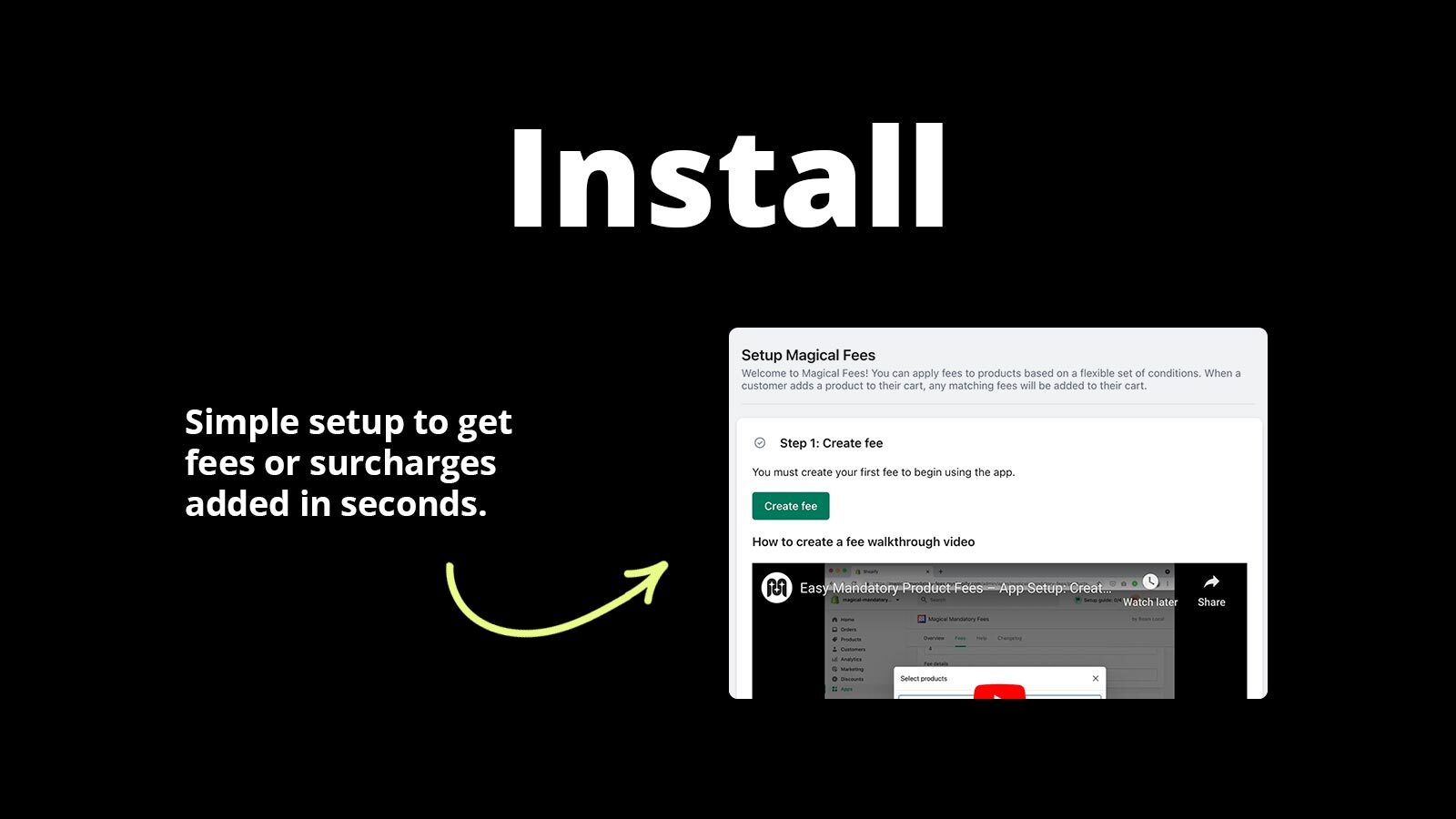
Install the app
Add Magical Fees to your Shopify store in one click. No code or theme changes required.
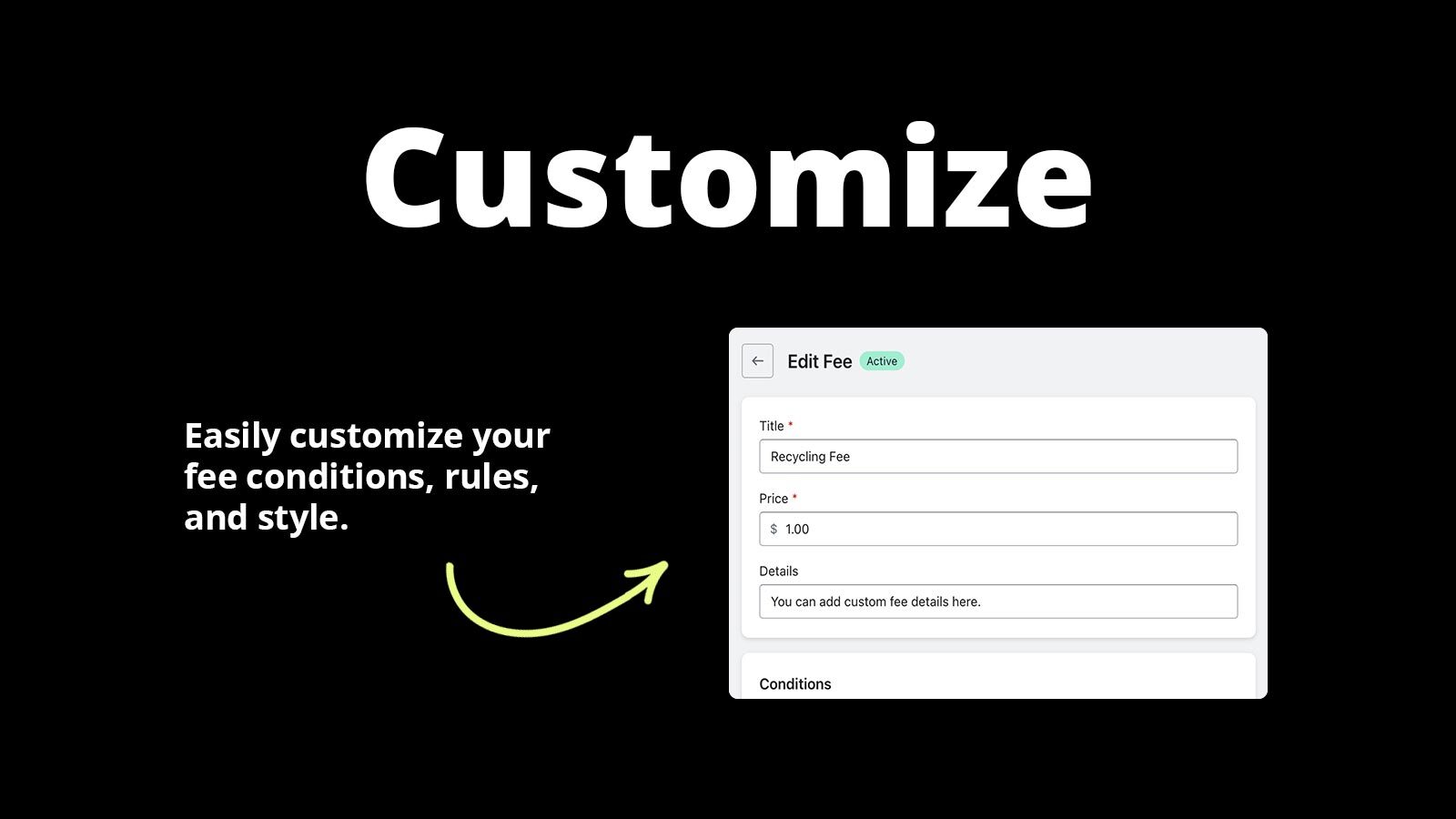
Pick a template or define your rules
Choose a fee template and confirm which products it covers, or build a custom fee with your own amounts, products, locations, and payment methods.
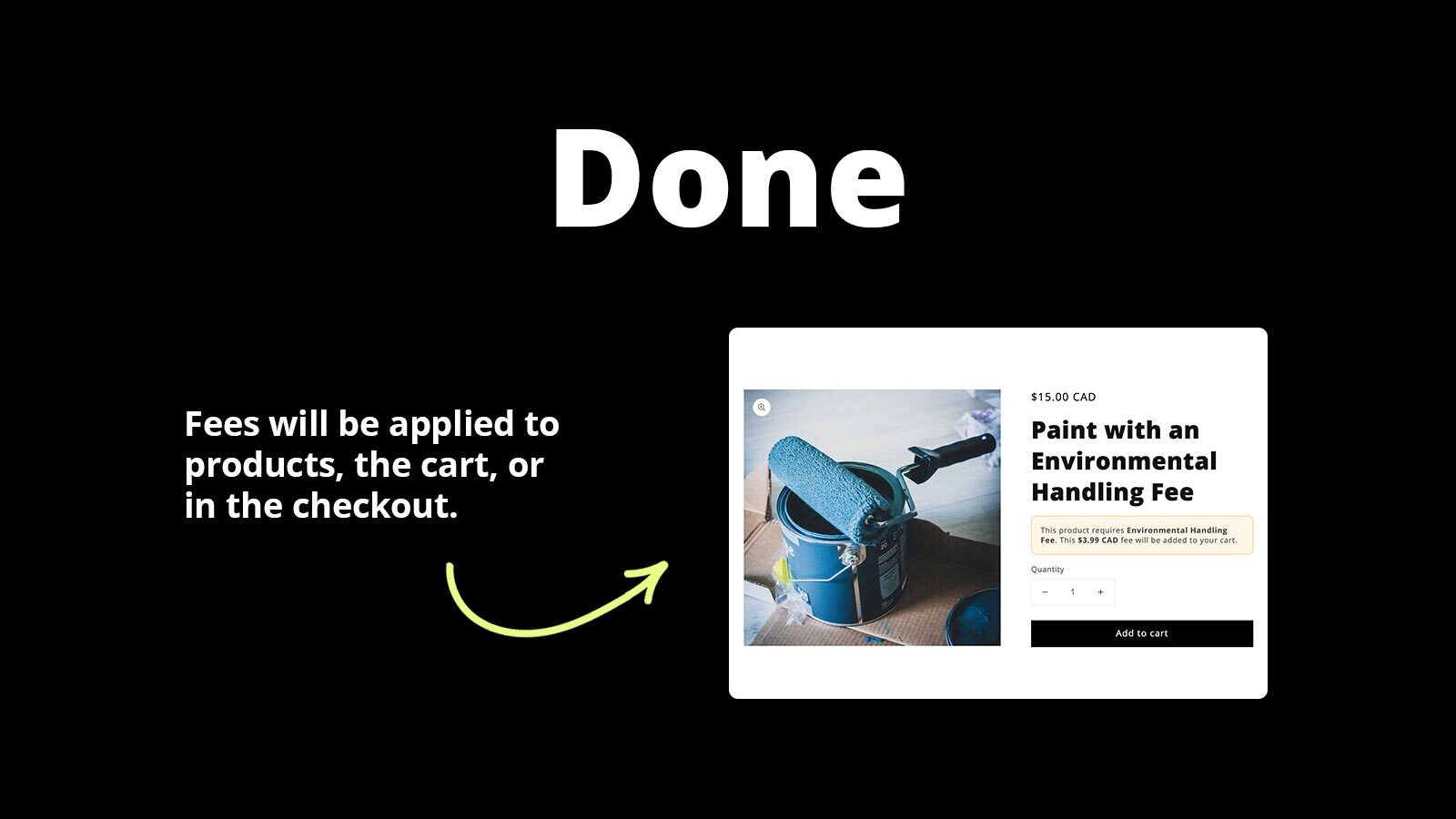
Fees apply automatically
Every order is charged the correct fees and customers see a clear breakdown at every step.
Reviews
What merchants are saying about Magical Fees & Tariffs.
Merchants praise the flexible location-based fee rules, effortless setup, and responsive support that gets issues resolved the same day.
“I use this app to add tariff costs for my US customers. It's easy to use, set up and maintain through all the constant US tariff changes. Anytime I have a question or need help I get an actual person for support (no chatbot!) and they're always very quick to answer and to fix any issues, or help make modification to better fit my shop. Would definitely recommend this app!”
“Magical Fees is the only fee app that allows you to apply a fee based on a specific or individual state/province situation. All the other apps we tested only allow 'Location' (the entire country) which is a major limitation. The solution Magical Fees applies during the Cart to Checkout process is very smart and not a hassle. Very easy app to setup and the support was great.”
“I had a hard time setting the app but the customer service I received is amazing. The app is doing what it needs to for my additional taxes on some products and at this price I am more then glad we choose them! I will recommend that app 100%”
Pricing
Simple, transparent pricing. Try free for 14 days. Save ~20% with yearly billing.
Starter Plans
The core foundation for any Shopify store.
Starter
- 34 Fee Templates (deposits, recycling, tariffs, surcharges)
- Fixed Price Fees
- Percentage (%) Fees
- Apply Fees to Products
- Apply Fees to Order Subtotal
- Apply Fees Based on Customer Location
- Apply Fees to Credit Card Transactions
- Everywhere Method (no theme code required)
- Customer Tag Fees on Everywhere Fees
- Online Store and POS Compatible
- 60-day Audit Log
Starter + Compliance
- Everything in Starter, plus:
- Unlimited Audit Log history
Adds unlimited Audit Log history.
Plus Plans
Shopify Plus onlyAdvanced features for high-growth stores.
Plus
- Everything in Starter, plus:
- Order Total Fees (after discounts, tax, shipping)
- PayPal, Shop Pay, and COD Transaction Fees
- Additional Payment Method Detection (Klarna, Afterpay, bank transfers, and more)
- Customer Tag Fees on Function Fees
- Checkout UI Extension
- Location-Based Fees (Automatic at Checkout)
- Cart-Level Block Fees
Plus + Compliance
- Everything in Plus, plus:
- Unlimited Audit Log history
Adds unlimited Audit Log history.
Setup Guides
Step-by-step instructions to get Magical Fees & Tariffs configured correctly.
How to create a fee from a template with Magical Fees
Start from one of 34 ready-made fee templates with the statutory amount, receipt wording, and conditions already filled in, then activate it in one click or customize it first.
View guide →How to detect and label additional payment methods with Magical Fees
Credit card, PayPal, Shop Pay, and Cash on Delivery are built in. If your checkout offers other methods, such as a buy now pay later provider or a bank transfer, Magical Fees can detect them so your fee rules can target them.
View guide →How to Add Credit Card Surcharges on Shopify
Pass credit card and payment method fees to customers at checkout. Magical Fees supports surcharges for Shopify Plus and non-Plus merchants—here's how to set it up.
View guide →FAQs
Quick answers to common questions and troubleshooting for Magical Fees & Tariffs.
POS staff can't use the fee tile in Magical Fees
If POS app only staff can't use the Magical Fees tile after using their PIN, or Shopify POS shows "Session token fetch failed for Magical Fees", the initial login user needs a Store role that grants access to Magical Fees.
Read FAQ →How to use the Magical Fees Audit Log
The Audit Log is the running record of every fee applied to your orders. Filter it by fee, date, location, or channel, export it to CSV, and unlock full history with a Compliance plan.
Read FAQ →What is the Growth Plan for Magical Fees?
The Growth Plan ($19.99/mo) is a legacy plan for grandfathered subscribers. It is functionally equivalent to the current Plus plan and is no longer available to new customers.
Read FAQ →Videos
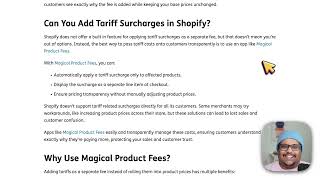
Watch Magical Fees & Tariffs in action — demos, setup walkthroughs, and use case guides.

Articles
In-depth guides on strategy, comparisons, and advanced features.
What's New in Magical Fees (August 2026)
Magical Fees 4.3.0 adds 34 fee templates with the statutory amount and wording filled in, one-click activation, a setup guide that walks each channel through its setup, and a "Where it works" card that shows where a fee is actually charging.
Read more →What is the Everywhere Method and how do I use it?
The Everywhere Method is the simplest way to add a mandatory fee. Set a price and a few conditions, and Magical Fees applies the fee automatically across your online store, checkout, headless storefronts, POS, and draft orders.
Read more →What's New in Magical Fees (March 2026)
Magical Fees v3.20.0 introduces four plans (Starter, Starter + Compliance, Plus, Plus + Compliance), the Audit Log, yearly billing, and unlimited history on compliance tiers. Plus replaces Growth; Starter and Plus align with Shopify's tier naming.
Read more →Regulations
We track fee schedules and compliance requirements across 6 categories and dozens of jurisdictions worldwide, so you don't have to.
Don't see what you're looking for?
Not sure which app or feature fits your store? Have a custom requirement? Reach out — we're happy to help.
Ready to get started?
Install Magical Fees & Tariffs on Shopify and see the difference today.
Install Magical Fees & Tariffs on Shopify