Magical Preorder & Presale
Built for ShopifyNever Miss a Sale Again
4.3 ★ (67 reviews) · Shopify App Store
Turn out-of-stock moments into revenue. Accept preorders for upcoming products, restocks, and seasonal launches, and let automation handle the rest.
Unlimited Products, One Price
Add preorder buttons to as many products as you need, with no caps and no per-product fees.
Set It and Forget It
Automation rules open and close preorders based on inventory, dates, or custom triggers.
Gauge Demand Before Launch
Email signup forms let you build a waitlist and validate interest before committing to production.
Use Cases
Magical Preorder & Presale handles a wide range of fee scenarios — from government-mandated
Auto-Preorder When Out of Stock
Stop losing sales the moment you sell out. Merchants with fast-moving inventory use automation rules to seamlessly switch products to preorder when stock hits zero—no manual intervention required. Customers can still purchase and understand when items will ship, while you capture revenue immediately and avoid the back-and-stock-notification shuffle. Bulk settings make it easy to apply the same rules across your catalog.
Demand Validation & Notify Me
Validate interest before committing to a production run. Merchants use email signup forms and "notify me" flows to build a waitlist and gauge demand—collecting customer interest without taking payment until they're ready to manufacture. Automation rules can convert signups into preorder opportunities when you're ready to commit, while customizable forms keep your brand consistent and help you decide how many units to produce.
Limited Edition & Limited Run Preorders
Run controlled preorders for limited editions, collectibles, and one-time drops. Tabletop gaming merchants, dice makers, and collectible brands use preorder limits to cap quantity and create urgency—selling exactly what they plan to produce without overcommitting. Customize badges and messaging to highlight scarcity, set automation to close preorders when the limit is reached, and manage multiple simultaneous limited runs with clear delivery expectations.
Made-to-Order & Custom Production
Sell custom, handmade, or made-to-order products with clear delivery expectations. Merchants in baby products, furniture, and handmade goods use preorders to accept orders for items that don't exist yet—setting expected ship dates so customers know when to expect delivery. Email signup forms help gauge interest before production, while customizable messaging keeps expectations aligned with your production lead times.
Product Launches & Coming Soon
Capture revenue and build buzz before your new products hit the shelf. Merchants launching viral items, seasonal collections, or first-time releases use preorders to turn "coming soon" into sales—accepting payment upfront while inventory is still in transit. Customize badges and messaging to match your brand, set automation rules to open and close preorders by date, and never miss a sale when demand spikes before stock arrives.
Features
Bulk Preorder Settings
Use bulk settings to save time managing which products are enabled for preorder. Enable or configure preorders across your entire catalog in seconds.
Learn more →Email Signup Forms
Enable email signup forms for upcoming preorders to forecast demand. Build a waitlist before launch so you know exactly how much interest there is.
Learn more →Preorder Automation Rules
Set rules to automate the management and availability of preorders. Control when preorders open, close, and transition between states automatically.
Learn more →Preorder Style Customization
Customize messages and style to fit your brand. Control preorder button text, colors, badges, and mixed cart warnings to match your store's look.
Learn more →Unlimited Preorder Sales
Add unlimited preorder sales to your shop. No caps on how many products you can offer for presale. Scale as big as your catalog needs.
Learn more →How it works
Get up and running quickly — see our complete setup guide for step-by-step instructions.
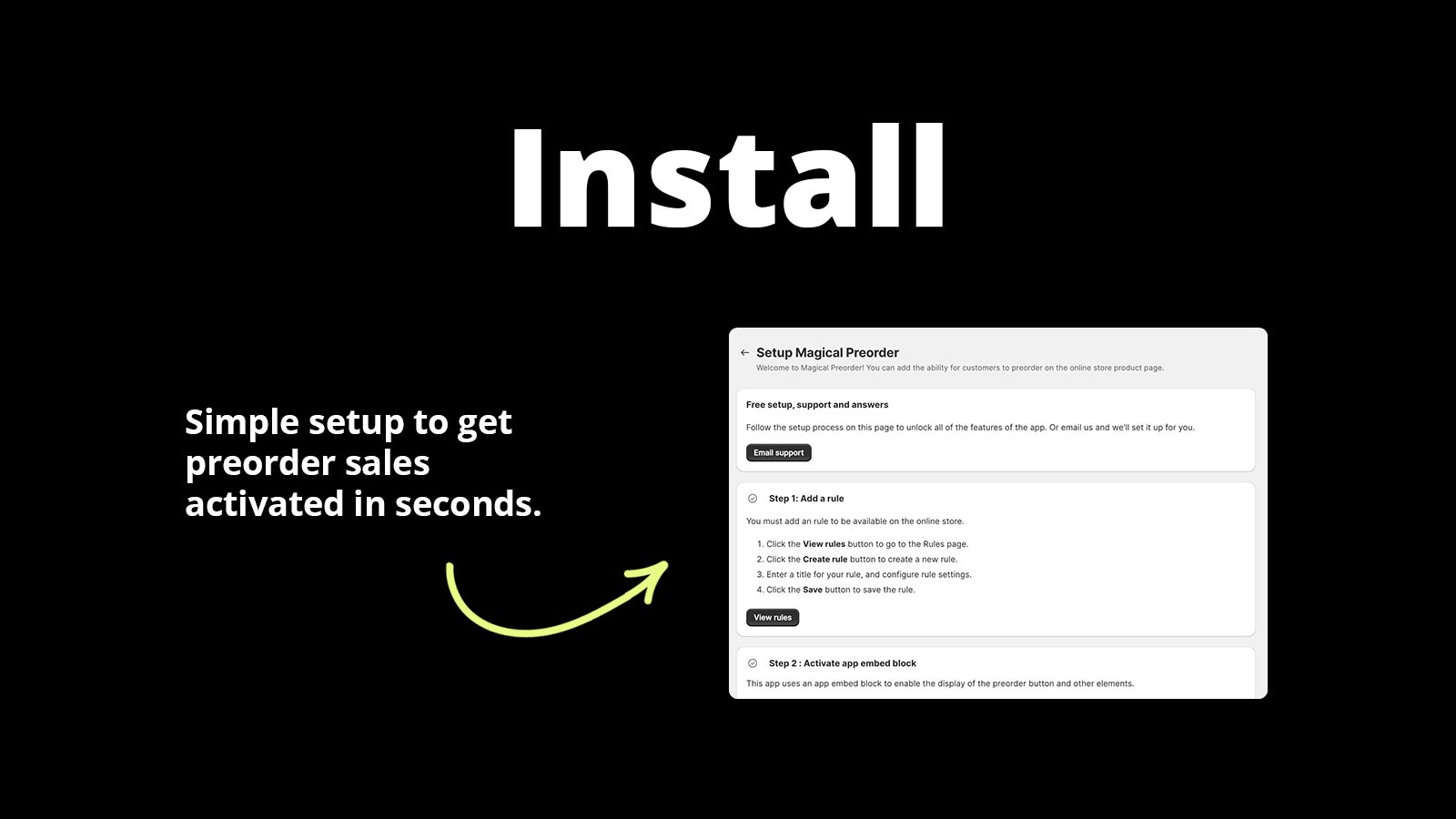
Install in Seconds
Add Magical Preorder to your Shopify store and activate it with one click.
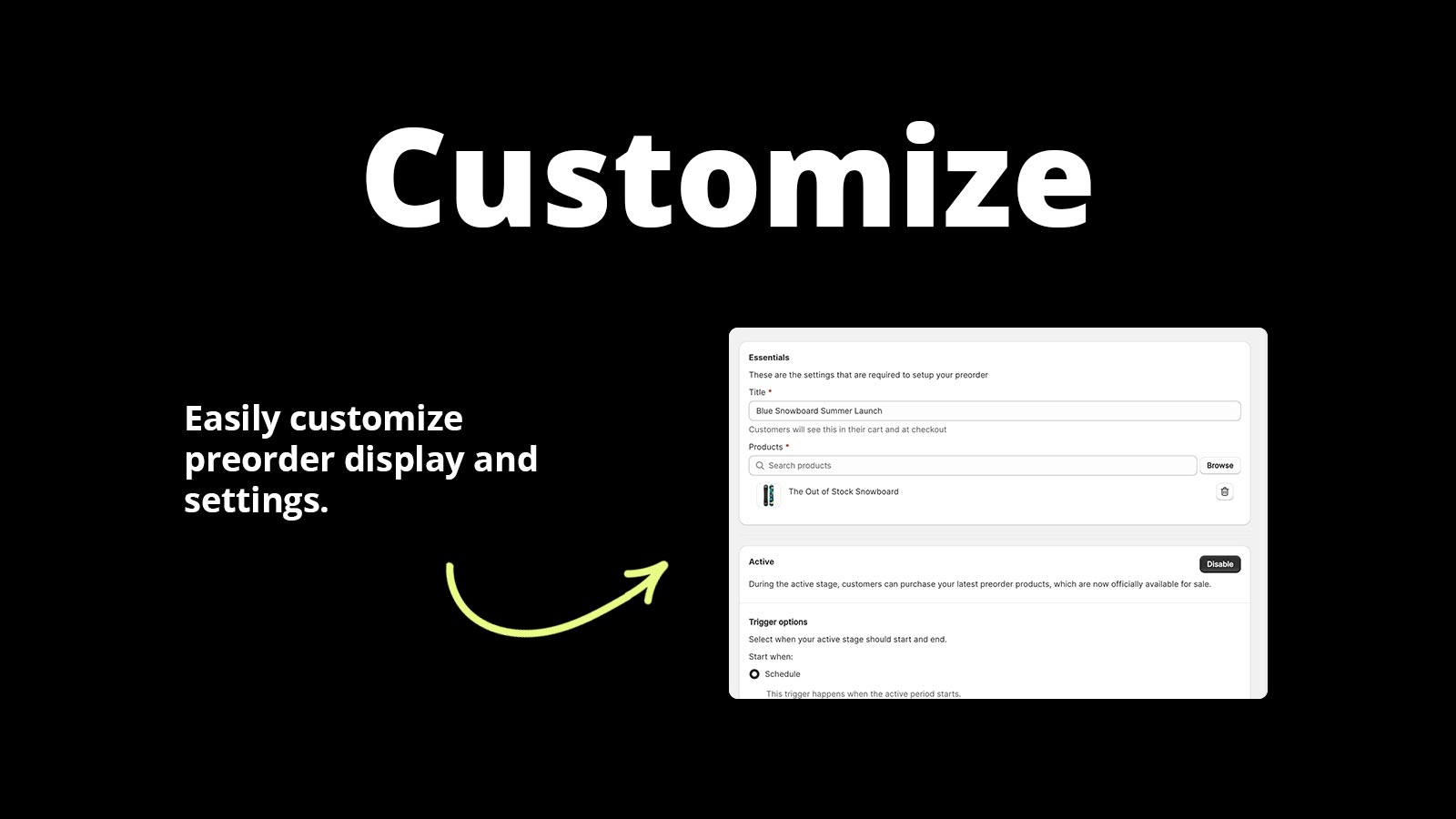
Set Your Rules
Choose which products accept preorders and configure automation, badges, and messaging.
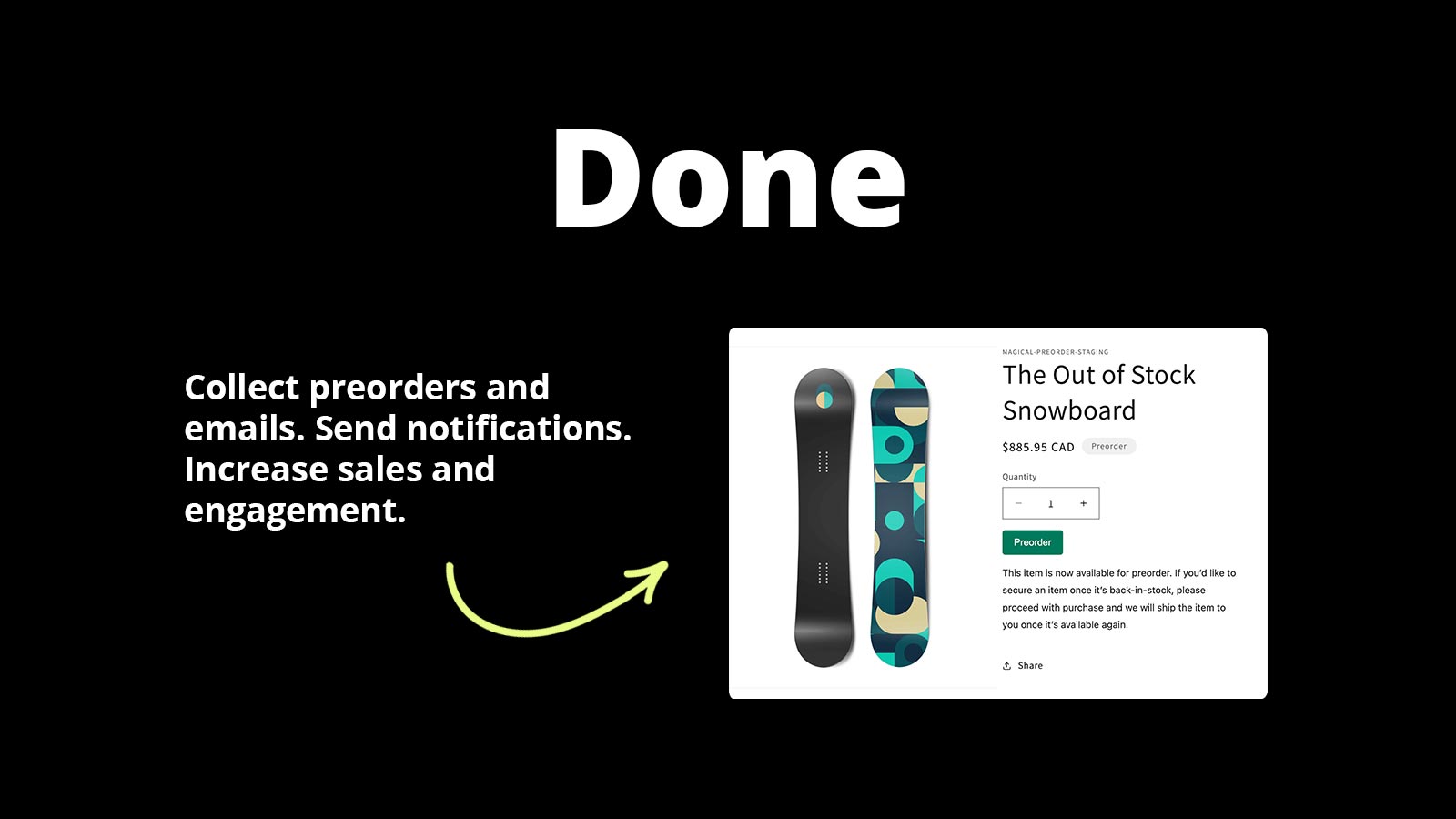
Start Selling Early
Capture revenue before products ship and build anticipation for every launch.
Reviews
What merchants are saying about Magical Preorder & Presale.
Reviewers say it saves hours every week on preorder management, keeps customers informed, and the support team goes above and beyond with theme adjustments.
“I can't say enough good about this app and the support! It has saved us SOOO much time, and our customers can easily understand when something is out of stock. This is a must-have app we can't live without!”
“The app works great, but more importantly, the support is out-of-this-world amazing - even while I was on the trial version. They've made multiple adjustments to make the app work perfectly with my theme, and they're always kind and quick to respond. I wish they were the creators of every app. I would give them 10 stars if I could!”
Pricing
Simple, transparent pricing. Try free for 14 days.
Plans
Choose the plan that fits your store.
Magical Preorder
- Unlimited Preorders
- Bulk Settings
- Style Customization
- Mixed Cart Warning
- Email Notifications
- Custom Sender Email
- Badges
Setup Guides
Step-by-step instructions to get Magical Preorder & Presale configured correctly.
How to Set Up Magical Preorder
App install instructions Installing the app in Shopify is easy. Visit the Magical Preorder listing and click “Install”.
View guide →How to Set Up Back in Stock Alerts (Notify Me) with Preorder Pro + Back in Stock
This feature is only available with Preorder Pro + Back in Stock, the previous version of the Magical Preorder app. To let customers sign up for back in.
View guide →How to Set Up Coming Soon Products with Preorder Pro + Back in Stock
This feature is only available in Preorder Pro + Back in Stock, the previous version of the Magical Preorder app. To set up a Coming Soon message for a.
View guide →FAQs
Quick answers to common questions and troubleshooting for Magical Preorder & Presale.
What is the difference between Legacy and Purchase Options Preorder Rules?
All new preorder rules use Purchase Options for better checkout integration and order management. Legacy Rules Legacy rules function by adding a Line item.
Read FAQ →Can I Apply Discounts or Special Offers to Preorder Products with Magical Preorder?
Yes. Any discounts or special offers you’ve set up in Shopify will still apply to products available for preorder. The app doesn’t interfere with your existing pricing rules.
Read FAQ →Can I Apply Rules to a Collection Instead of Individual Products with Magical Preorder?
No, the app does not currently support applying rules to entire collections. Rules can only be set up for specific products or variants.
Read FAQ →Videos
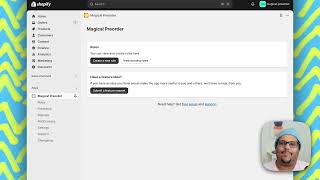
Watch Magical Preorder & Presale in action — demos, setup walkthroughs, and use case guides.

Articles
In-depth guides on strategy, comparisons, and advanced features.
Fortescue Preorder Pro becomes Magical Preorder
Fortescue Preorder Pro is now Magical Preorder as of July 22, 2024. Find out why, how features differ, and what it means for existing users.
Read more →Benefits of running Shopify Preorder Sales
Learn why running Shopify preorder sales with an app is the best way to build hype and boost cash flow for your store. Read Article.
Read more →What are Shopify Preorder Sales?
Learn what Shopify preorder sales are, other types of product availability options that exist, and top reasons merchants use them. Read Now.
Read more →Don't see what you're looking for?
Not sure which app or feature fits your store? Have a custom requirement? Reach out — we're happy to help.
Ready to get started?
Install Magical Preorder & Presale on Shopify and see the difference today.
Install Magical Preorder & Presale on Shopify