SEO Doctor
Find and fix SEO problems on autopilot
4.2 ★ (139 reviews) · Shopify App Store
Scan your entire store for missing meta tags, broken links, and unoptimized images, then fix thousands of issues in bulk with one click.
Full-store SEO audit instantly
Scan every product, page, and image to surface the exact issues hurting your search rankings.
Bulk fixes on autopilot
Set rules once and let the app rewrite meta tags, compress images, and fix links across thousands of products.
Track your SEO progress
A dynamic score and ranking chart show exactly how your store's SEO health improves over time.
Features
Autopilot Bulk Fixes
Save time by setting conditions and rules with autopilot to fix issues in bulk. Handle thousands of products without touching each one manually.
Learn more →Guided SEO Checklist
Use a guided checklist to fix each issue with your products, one by one. Clear steps and actionable recommendations, and no SEO expertise required.
Learn more →JSON-LD Structured Data
Supports JSON-LD structured data for rich search result snippets. Help search engines understand your products, reviews, and business info.
Learn more →SEO Issue Detection
Fix common SEO issues with meta tags, broken links, image file names, and more. The app scans your store and surfaces exactly what needs attention.
Learn more →SEO Progress Tracking
Track your optimization progress with a dynamic overall score and ranking chart. See exactly how your SEO health improves over time.
Learn more →How it works
Get up and running quickly — see our complete setup guide for step-by-step instructions.
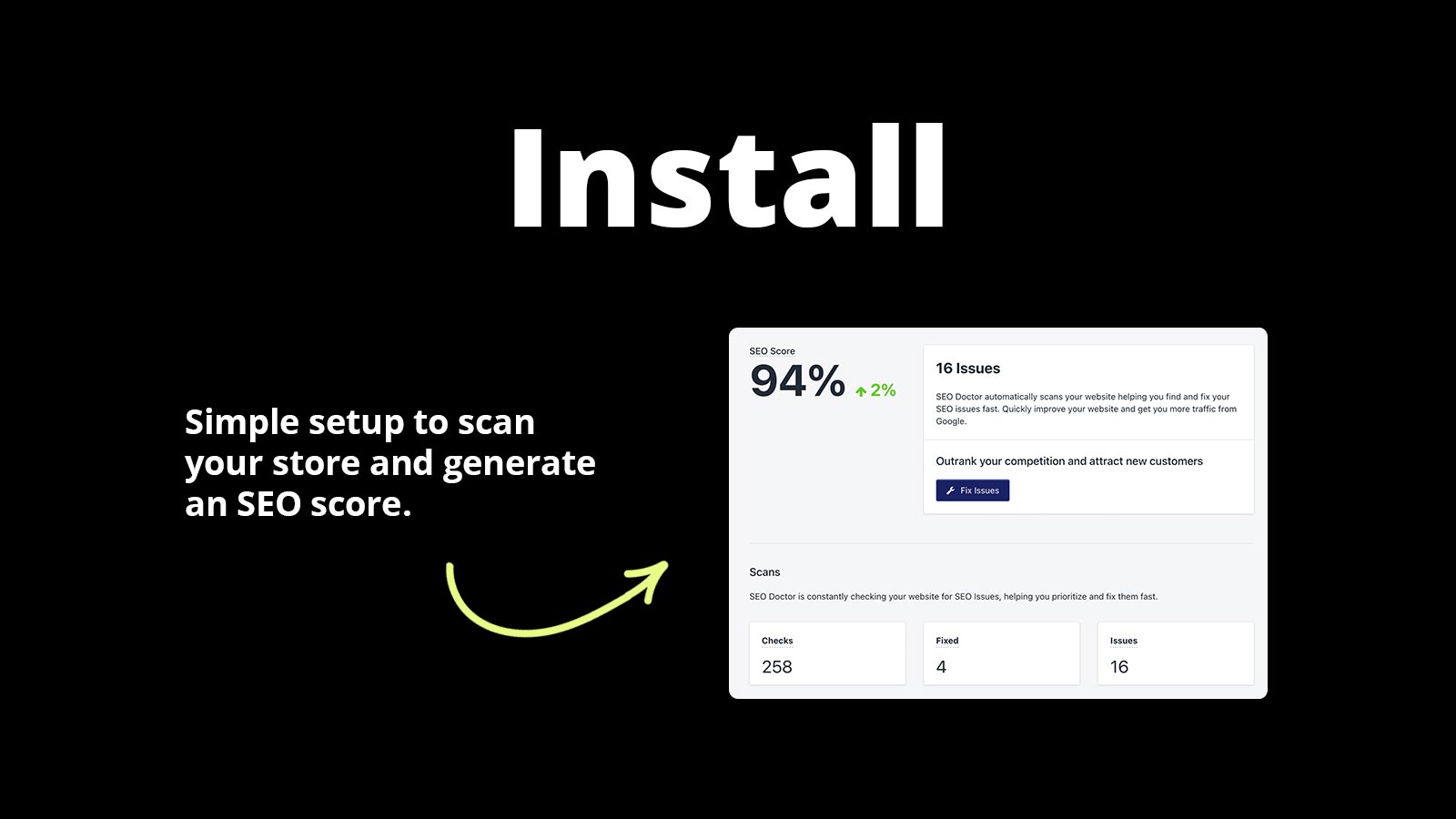
Install and scan
Add SEO Doctor to your store and run a free audit. It surfaces every SEO issue in minutes.
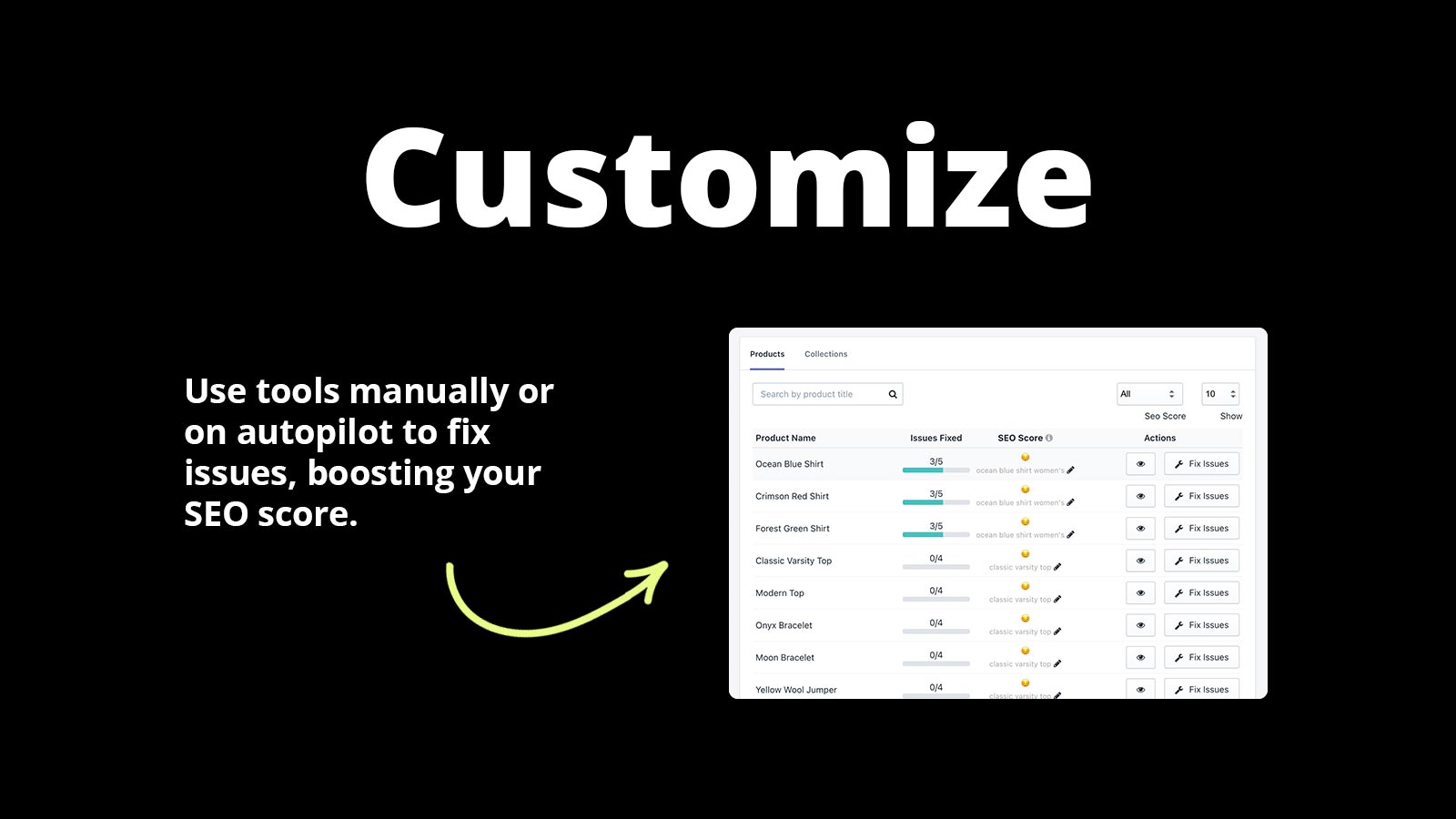
Fix or set autopilot
Walk through the guided checklist to fix issues one by one, or enable autopilot to handle them in bulk.
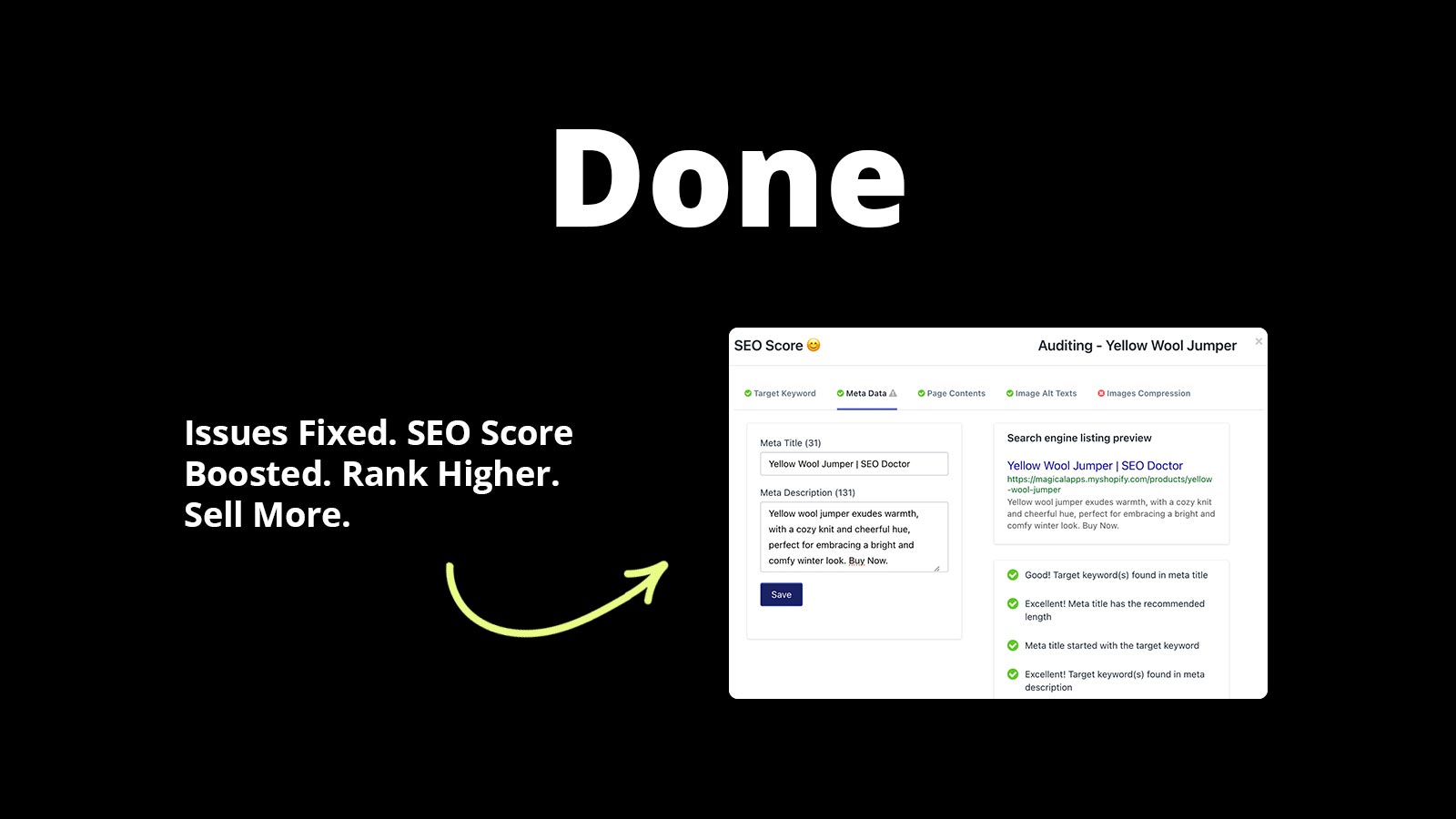
Climb the rankings
Watch your SEO score rise as issues are resolved and search engines start rewarding your optimized store.
Reviews
What merchants are saying about SEO Doctor.
Reviewers praise the depth of SEO insights, real improvements in search rankings, and customer support that many call the best they've experienced.
“This is a great app. It gives you extensive insight on your SEO issues. The customer service people are quick to respond and very helpful. I would highly recommend SEO Doctor to anyone who is considering an SEO app for their site.”
“Amazing application to help improve the success of small to large websites. The customer support service is the best I've received to date.”
Pricing
Simple, transparent pricing.
Plans
Choose the plan that fits your store.
Free
- Audit 50 Products
- Meta Title Optimization
- Meta Description Optimization
- Image Compression
- Image Alt-text
- Fix Broken Links
Basic
- Everything in Free
- Audit 1000 Products
- Automatic Fixes
- Image Renaming
Enterprise
- Everything in Free
- Audit 50000 Products
- Automatic Fixes
- Image Renaming
Setup Guides
Step-by-step instructions to get SEO Doctor configured correctly.
How to Set Up SEO Doctor
App Install InstructionsInstalling the app on your Shopify store is easy. Click “Install” on the SEO Doctor app listing page.
View guide →How to Set Up SEO Doctor
Review your SEO scan results and fix issues to improve your store search rankings.
View guide →How to Setup SEO Doctor
Discover how to setup Shopify SEO optimization for your store with step-by-step instructions for the SEO Doctor app. View Instructions.
View guide →FAQs
Quick answers to common questions and troubleshooting for SEO Doctor.
Can I bulk edit product meta titles and descriptions with SEO Doctor?
No. Magical SEO Doctor does not offer a manual bulk editor. Instead, enable Autopilot and set your preferred rules. The app will scan each product, find.
Read FAQ →Can I customize meta titles and descriptions for my products through the SEO Doctor app?
Yes, you can use SEO Doctor to customize meta titles and descriptions for your products, collections, and other pages. This helps improve how your store shows up in search results.
Read FAQ →Can I ignore draft or archived products from the overall score in the SEO Doctor dashboard?
No, there isn’t a way to ignore or filter out draft or archived products from the overall score in the dashboard at this time. All products are included in the score.
Read FAQ →Videos
Watch SEO Doctor in action — demos, setup walkthroughs, and use case guides.

Articles
In-depth guides on strategy, comparisons, and advanced features.
How to Sell Used or One-Off Products on Shopify
Learn how to sell used or one-of-a-kind items on Shopify with tips for listing, archiving, and pricing items, and shipping oversized products.
Read more →Guide to Shopify SEO Optimization
Learn what Shopify SEO optimization is, how to optimize your store, and find an app you can trust. Read Guide. Learn how to add Shopify SEO Optimization to.
Read more →Benefits of implementing Shopify SEO optimization
Learn how implementing Shopify SEO optimization is one of the best ways to rank higher and attract new customers. Read Article.
Read more →Don't see what you're looking for?
Not sure which app or feature fits your store? Have a custom requirement? Reach out — we're happy to help.
Ready to get started?
Install SEO Doctor on Shopify and see the difference today.
Install SEO Doctor on Shopify