Magical Make an Offer
Built for ShopifyTurn browsers into buyers at their price
4.7 ★ (169 reviews) · Shopify App Store
Let customers name what they're willing to pay, then accept, counter, or decline, automatically. Unlock hidden revenue from shoppers who would have left empty-handed.
Recover revenue you're losing
Convert price-sensitive shoppers who would otherwise bounce by giving them a way to make a deal.
Negotiate on autopilot
Set pricing thresholds and let the app accept, counter, or decline offers 24/7 without any manual work.
Fits your brand perfectly
Customize every color, message, and placement so the offer experience looks and feels native to your store.
Use Cases
Magical Make an Offer handles a wide range of fee scenarios — from government-mandated
Art, Furniture & Home Décor Negotiation
Art galleries, furniture showrooms, and home décor retailers form the second-largest vertical for Make an Offer. These merchants sell high-value items where negotiable pricing is standard—reclaimed wood furniture, original art, rugs, and collectible home goods. The counter-offer system mirrors the back-and-forth of in-person gallery sales, while customizable buttons and placements let stores maintain a premium aesthetic. Merchants frequently use collection-based rules to enable offers only on higher-ticket items.
Automated Offer Rules
Merchants can set percentage-based thresholds to automate the entire negotiation flow—accept offers above a certain percentage of list price, decline below a floor, or auto-counter with a predefined amount. This addresses one of the most common support asks: automating offer management without manual review. Busy stores use these rules to run 24/7 negotiation on high-volume or low-margin items while reserving manual review for high-value or complex deals.
Charity & Nonprofit Donations
Multiple nonprofits are creatively using the offer mechanism as a donation tool. With auto-accept configured to accept any amount, the app lets supporters name their donation amount directly on product pages or dedicated donation items. Charity stores can suggest donation tiers via custom fields while still allowing fully flexible giving. Brand customization ensures the experience aligns with mission-driven messaging, turning a negotiation app into a purpose-built donation mechanism.
Clearing Slow & Aging Inventory
Unlike blanket discounts that leave money on the table, negotiation lets merchants find each customer's price point for slow-moving or aging stock. Stores use Make an Offer to move stale inventory without broadcasting a storewide sale—customers who would have left empty-handed can propose a price, and auto-accept or auto-counter rules handle the flow. Cart and order offers extend the opportunity to shoppers who've already added items, capturing last-chance conversions before abandonment.
Collectibles & Memorabilia Negotiation
Collectibles and gaming merchants sell rare, unique items where negotiation is expected—trading cards, memorabilia, limited editions, and one-of-a-kind finds. This vertical from the research data uses Make an Offer to let collectors propose prices on items without fixed market comparables. Customizable offer buttons fit niche aesthetics, while the counter-offer system handles the back-and-forth typical of collector transactions. Brand customization ensures the experience feels native to gaming, sports, or hobby storefronts.
Pay What You Want
With auto-accept set to accept any amount, Make an Offer becomes a pay-what-you-want or name-your-price tool. Merchants who want flexible pricing—digital products, creative work, or experimental pricing models—can let customers choose their own price. Suggested amounts and custom fields help guide buyers toward fair ranges without enforcing a minimum, while automated negotiations handle the flow without manual review. This creative use case appeals to artists, indie creators, and stores testing value-based pricing.
Vintage & Resale Negotiation
Vintage and resale merchants frequently sell high-value one-of-a-kind items where price negotiation is natural and expected. Luxury consignment shops, vintage fashion boutiques, and secondhand retailers use Make an Offer to let customers propose their price on unique pieces that don't have fixed comparables. The dominant vertical for the app, these stores benefit from customizable offer buttons that match their brand, a counter-offer flow that mirrors in-person haggling, and the ability to exclude sale items or specific collections from the offer experience.
Features
Automated Negotiations
Set rules to automatically accept, decline, or make counteroffers based on your pricing thresholds. Negotiate 24/7 without lifting a finger.
Learn more →Brand Customization
Customize messages and style to fit your brand. Control colors, text, button styles, and messaging so the offer experience feels native to your store.
Learn more →NewBulk Offer Review
Accept or decline up to 250 eligible offer requests per run from the Offers page. Choose whether to send decline emails and review progress, skipped requests, and failures.
Learn more →Cart & Order Offers
Accept offers at the cart and order level, not just on individual products. Support for final offers that create urgency and close deals faster.
Learn more →Counter-Offer System
Customizable notifications and countering options to improve negotiation. Engage in back-and-forth price negotiation to find a mutually agreeable price.
Learn more →Offer Buttons & Placements
Add a Make an Offer button, banner, inline form, or exit popup to your products. Multiple placement options so you can capture offers wherever customers are.
Learn more →Suggested Amounts & Custom Fields
Guide customers with suggested offer amounts and collect additional information with custom form fields. Make the offer process smoother and more informative.
Learn more →How it works
Get up and running quickly — see our complete setup guide for step-by-step instructions.
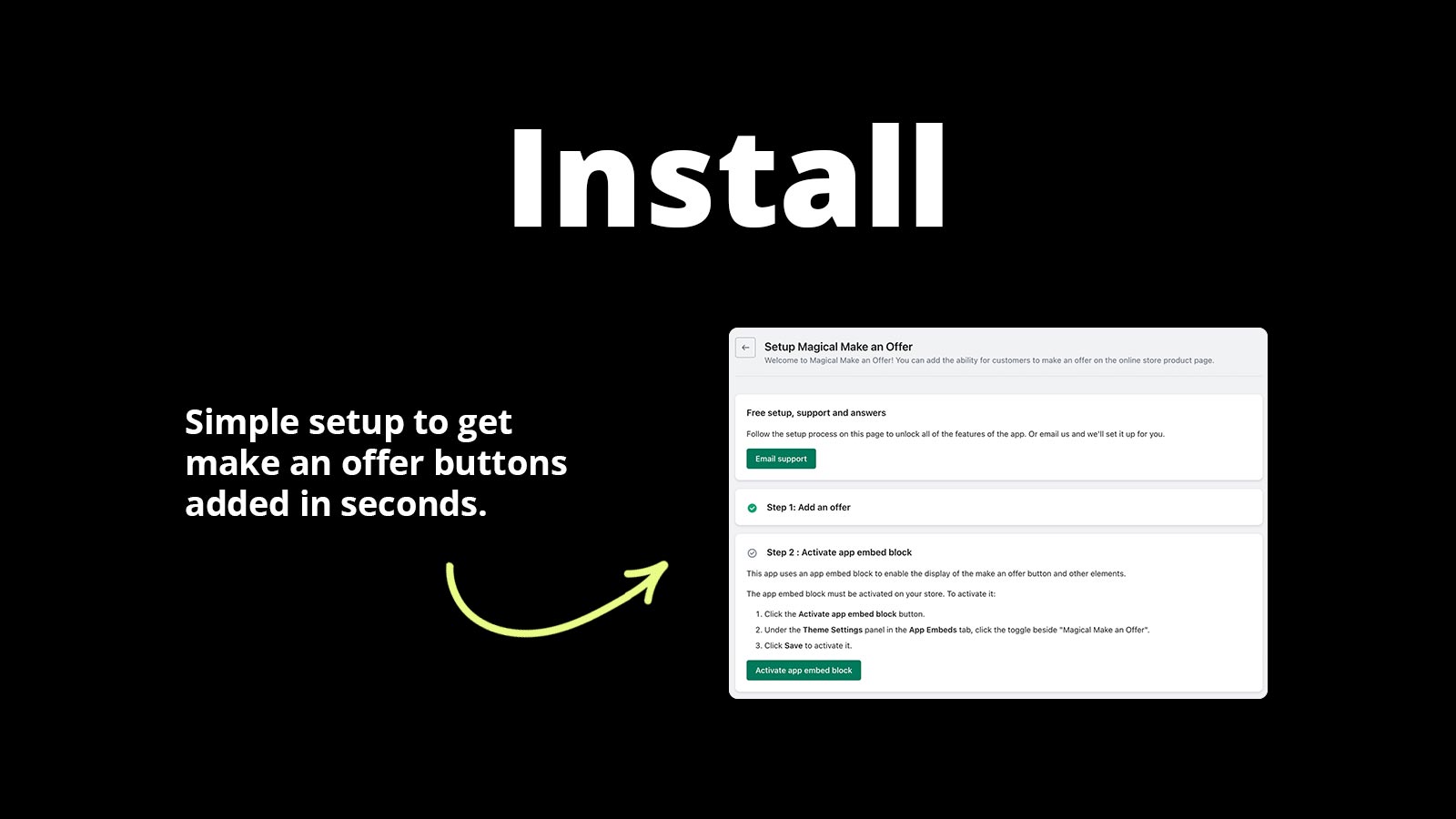
Install the app
Add Magical Make an Offer to your Shopify store and choose which products are open for negotiation.
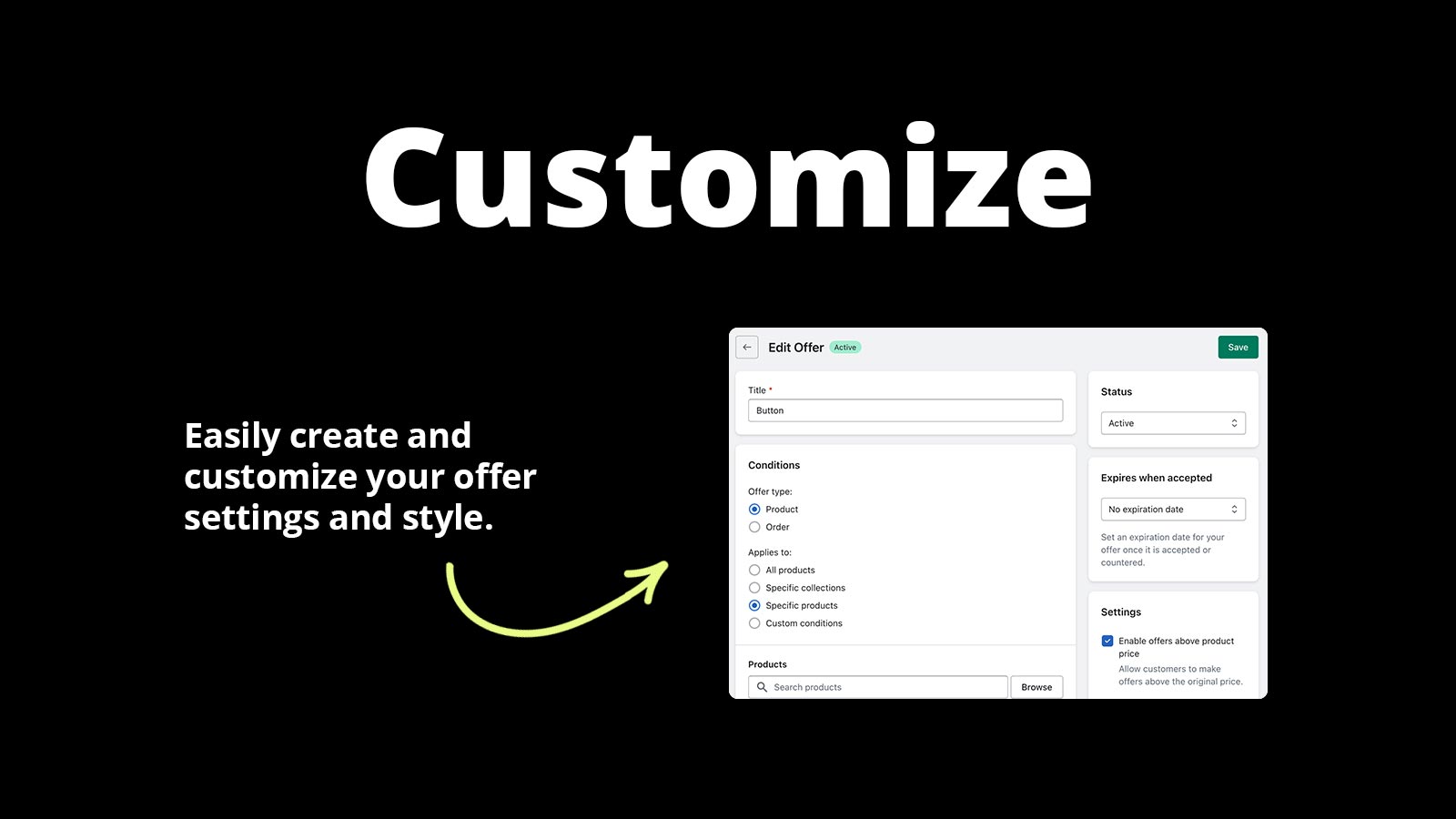
Set your pricing rules
Define auto-accept thresholds, counter-offer logic, and minimum prices. The app handles the rest.
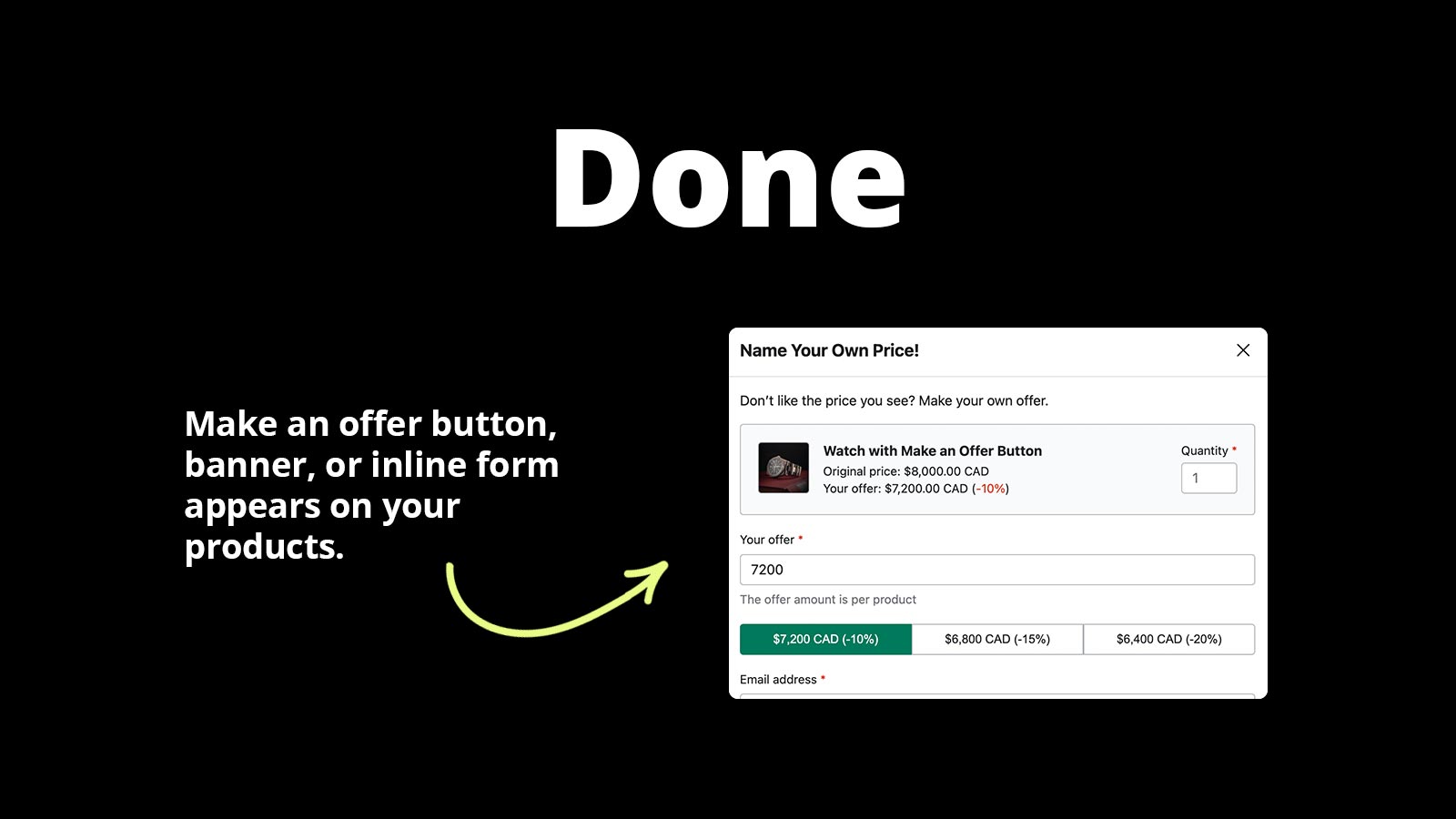
Watch offers roll in
Customers submit offers, the app negotiates on your behalf, and accepted deals convert to orders instantly.
Reviews
What merchants are saying about Magical Make an Offer.
Reviewers highlight how the app drives real customer engagement, works brilliantly out of the box, and comes with fast, hands-on support.
“I've been using Magical Make An Offer for a little while now and the app itself works brilliantly. It does exactly what it's supposed to and adds real value to my store. When switching themes, there were a couple of small issues, nothing major and certainly nothing to gripe about. What impressed me was the customer service. Support was immediate, knowledgeable, and fixed the issue straight away.”
“Works great and getting a good response from our customers. Very glad we installed. Response from staff is excellent.”
Pricing
Simple, transparent pricing. Try free for 14 days.
Plans
Choose the plan that fits your store.
Starter
+ 1% on completed sales
- Quick and Easy Setup
- Unlimited Customer Offers
- Automate Negotiations
- Accept Reject or Counter
- Top-Rated Shopify App
- Money Back Guarantee
Growth
+ 0.33% on completed sales
- Quick and Easy Setup
- Unlimited Customer Offers
- Automate Negotiations
- Accept Reject or Counter
Power
- Quick and Easy Setup
- Unlimited Customer Offers
- Automate Negotiations
- Accept Reject or Counter
- Flat rate: no per-order fees
Setup Guides
Step-by-step instructions to get Magical Make an Offer configured correctly.
How to Set Up Magical Make an Offer
App Install InstructionsInstalling the app in Shopify is easy. Click “Install” on the Magical Make an Offer app listing.
View guide →How to Set Up SMS Notifications for Offer Requests with Make an Offer
Latest Version (V2+) SMS notifications are not supported in the latest version of Make an Offer. Legacy Version (V1) If you are using the legacy version,.
View guide →How to install Magical Make an Offer
Installing Magical Make an Offer on your Shopify store is simple:Go to the Magical Make an Offer app listing. Click Install.
View guide →FAQs
Quick answers to common questions and troubleshooting for Magical Make an Offer.
How do I cancel an offer I've already accepted with Magical Make an Offer?
If the customer has not checked out yet, you can cancel the accepted offer by deleting the draft order that was created. Go to Magical Make an Offer in your Shopify admin.
Read FAQ →How to display the Make an Offer button on collection pages
You can display the Make an Offer button directly on your collection pages for any products that meet the conditions of a specific rule.
Read FAQ →How to activate the Make an Offer Badge app block
If the Enable badge setting is turned on for an offer, the Make an Offer app will automatically place the badge near the price on your product page.
Read FAQ →Videos
Watch Magical Make an Offer in action — demos, setup walkthroughs, and use case guides.


Articles
In-depth guides on strategy, comparisons, and advanced features.
How to Sell Used or One-Off Products on Shopify
Learn how to sell used or one-of-a-kind items on Shopify with tips for listing, archiving, and pricing items, and shipping oversized products.
Read more →Price Elasticity for Shopify: How to Test New Prices Without Hurting Your Sales
Learn how to experiment with pricing on Shopify without hurting sales. Explore price elasticity, A/B tests, and fee-based pricing strategies.
Read more →Magical Make an Offer vs Offerly: Which Shopify Make an Offer App Is Right for You?
Offerly vs Magical Make an Offer: compare both apps and see which Shopify Make an Offer tool provides more control, flexibility, & features.
Read more →Don't see what you're looking for?
Not sure which app or feature fits your store? Have a custom requirement? Reach out — we're happy to help.
Ready to get started?
Install Magical Make an Offer on Shopify and see the difference today.
Install Magical Make an Offer on Shopify