Install Magical Preorder & Presale from the Shopify App Store, then follow the steps below to go live.
Step 1: Create a preorder rule
- In Shopify admin, go to the Magical Preorder app.
- Click Create rule.
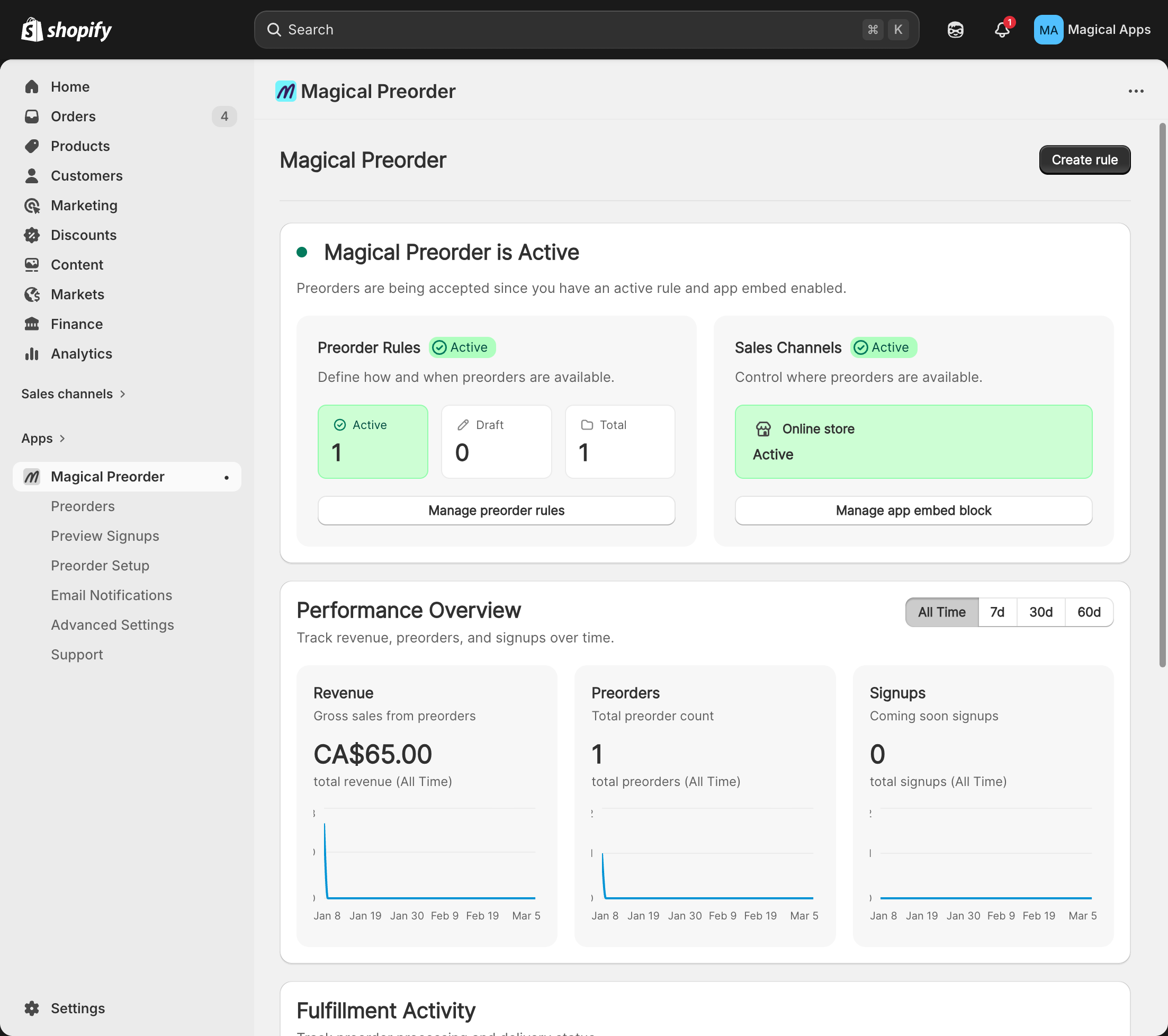
- On the Create rule page, under Essentials:
- Enter a title.
- Select the products you want the rule to apply to.
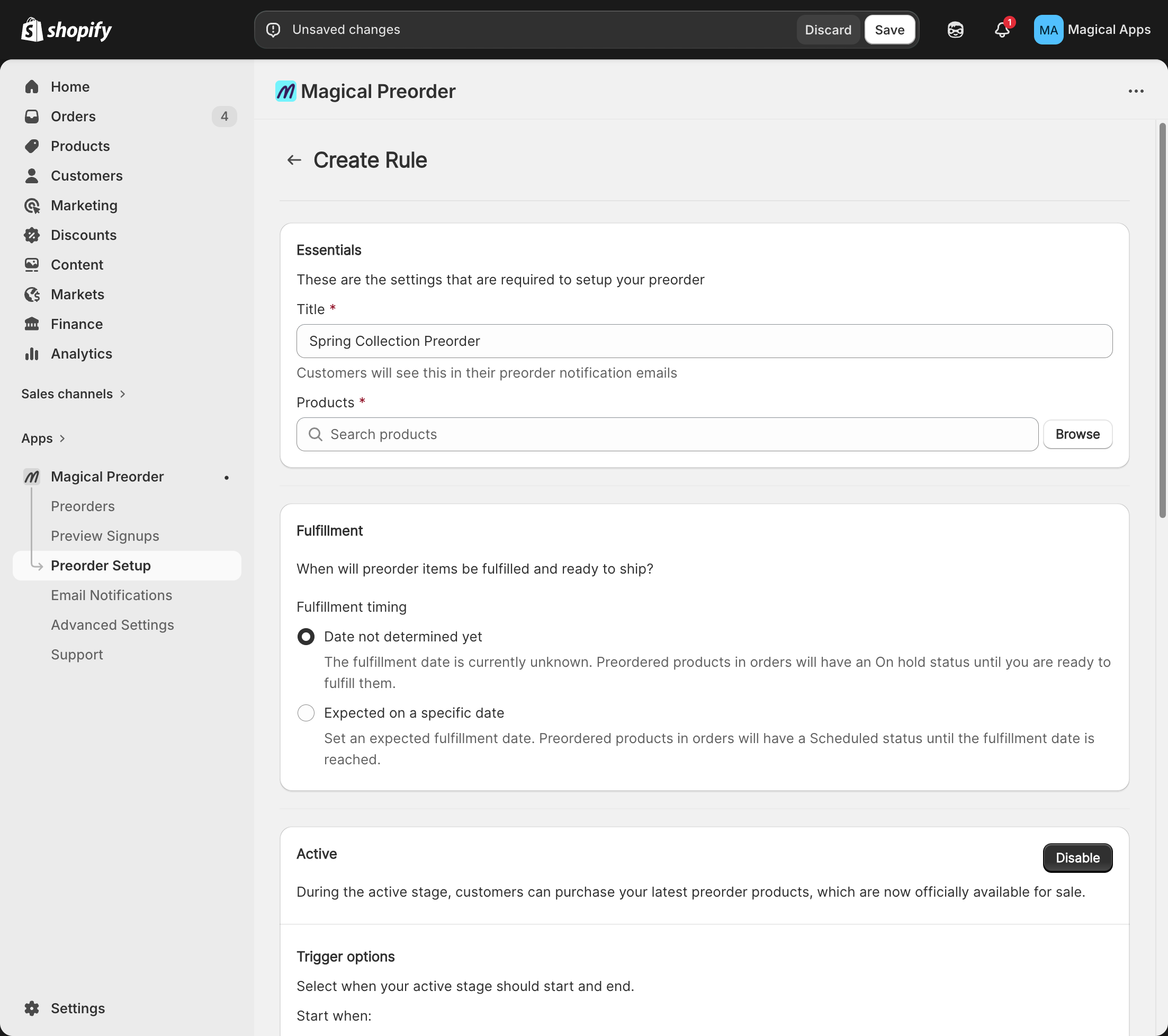
- Click Save and confirm the rule shows as Active.
Step 2: Activate app embed block
Note: This is a one-time setup. If you've already done it, skip this step.
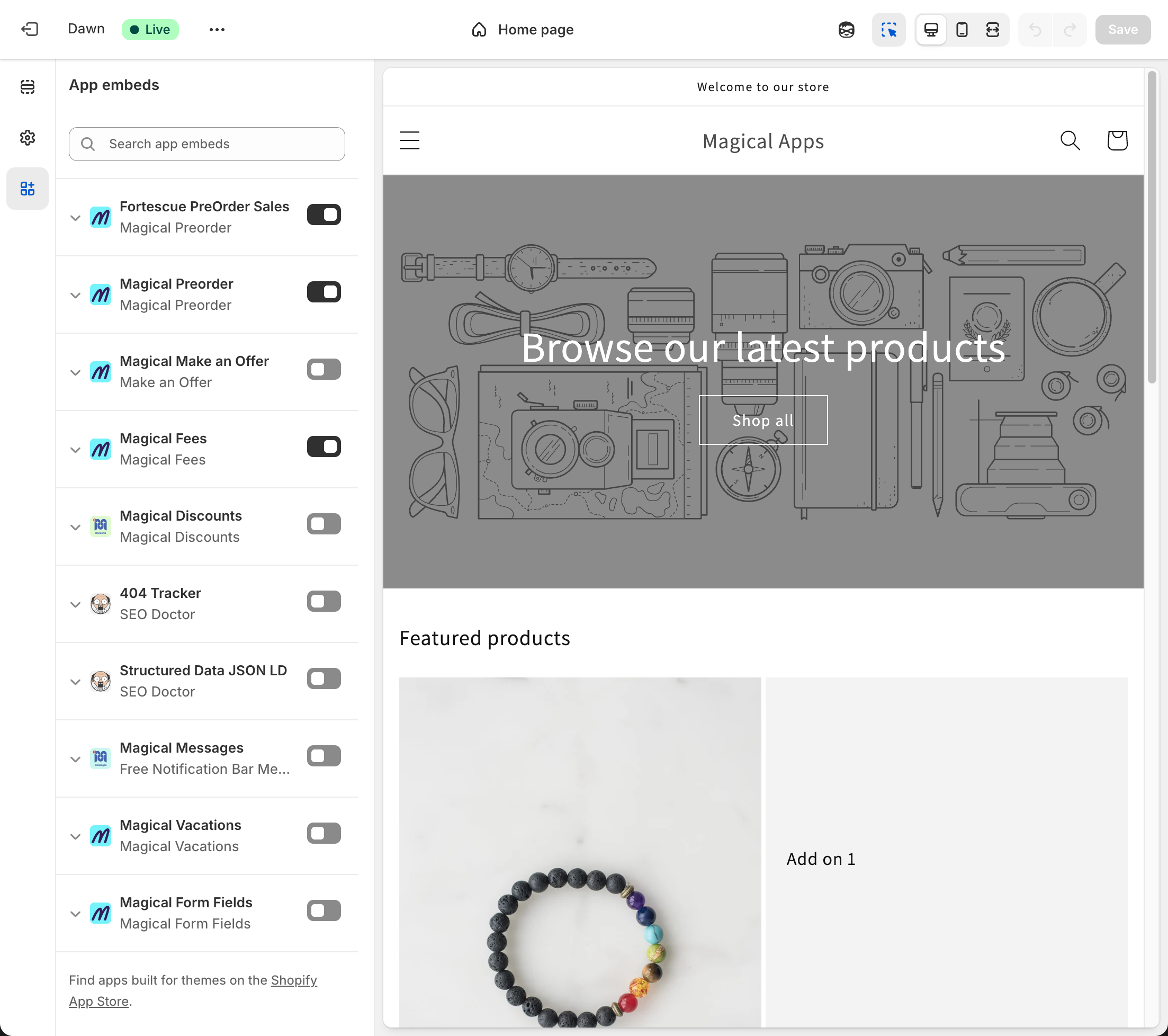
- In the Magical Preorder app, click Activate app embed block.
- In the theme editor, toggle Magical Preorder on.
- Click Save.
That's it — Magical Preorder is now live on your storefront.