Magical Custom Fields & Upload
Built for ShopifyCollect exactly what you need from customers
4.8 ★ (83 reviews) · Shopify App Store
Add custom fields, file uploads, and paid add-ons to any product page, so you get the details you need for personalization, custom orders, and fulfillment.
Any field type you need
Text, uploads, checkboxes, dropdowns, date pickers, and more. Eight field types cover every use case.
Turn fields into revenue
Add fixed or percentage-based pricing to any field and turn custom options into paid upsells.
Smart conditional logic
Show or hide fields dynamically based on customer selections to keep forms clean and relevant.
Use Cases
Magical Custom Fields & Upload handles a wide range of fee scenarios — from government-mandated
File Upload for Customer Artwork
Print shops and custom product stores need customers to upload logos, artwork, and images before production. File upload fields on the product page capture customer artwork directly with the order—no separate email or file-sharing step. Common among print-on-demand merchants, custom apparel stores, and businesses offering personalized items where the customer supplies the design. Uploads are stored with the order for easy access during fulfillment.
Gift Messages & Gift Options
Gift and specialty retail merchants frequently collect gift messages, recipient names, and card messages so orders can be shipped with a personalized touch. A simple "Is this a gift?" checkbox paired with a gift message or recipient name field captures everything needed for fulfillment—no separate gift-wrap app required. Holiday catalog stores and florists use these fields to ensure the right message reaches the right recipient.
Paid Add-On Options
Merchants commonly add paid options for embroidery, gift wrapping, rush processing, or other upgrades—but many run into confusion when the price doesn't appear in the cart. The key requirement: generated products for paid fields must be published to the Online Store sales channel (they can be Unlisted). Once configured correctly, fixed or percentage-based pricing applies automatically, turning add-on options into clear revenue without manual price adjustments.
Product Personalization
Custom product stores and engraving shops frequently need to collect personalization details—child's name, monogram initials, custom text for printed or engraved items—directly on the product page. This is the most common use case across custom product stores, engraving shops, and print-on-demand merchants. Text fields and dropdowns capture exactly what customers want, so orders arrive with clear instructions for fulfillment without back-and-forth emails.
School Uniforms & Fundraisers
School uniform portals and PTO fundraiser stores form a strong recurring vertical. These merchants need to collect student name and class (or grade) so orders can be sorted and delivered correctly—often to a central pickup point. Custom text and dropdown fields capture the required info on the product page. CSV export makes it easy to sort orders by class for bulk fulfillment and distribution.
Terms Acceptance & Age Verification
Merchants often assume they need a separate app to add a required terms-and-conditions checkbox or age verification gate on product pages. A required checkbox field handles both use cases: customers must agree before adding to cart. Medical and wellness stores use consent checkboxes for intake info; age-restricted product sellers use them to gate access. No extra app or checkout extension required—just a checkbox configured as required.
Features
Conditional Fields
Show or hide fields dynamically based on customer selections. Keep forms clean and relevant with conditional logic that adapts in real time.
Learn more →CSV Export
Export responses to CSV and speed up fulfillment with accurate order info. Get all custom field data in a format your team can work with.
Learn more →Custom Field Types
Build and manage custom fields like text boxes, file uploads, checkboxes, dropdowns, date pickers, and more. Eight field types cover every use case.
Learn more →Flexible Field Rules
Apply fields to specific products, variants, or collections with flexible rules. Control exactly where and when each field appears.
Learn more →Order Personalization
Collect additional order details using custom fields for personalization: engravings, gift messages, special instructions, and more.
Learn more →Paid Add-On Fields
Boost sales with paid add-on fields using fixed or percentage-based pricing options. Turn custom fields into revenue-generating upsells.
Learn more →How it works
Get up and running quickly — see our complete setup guide for step-by-step instructions.
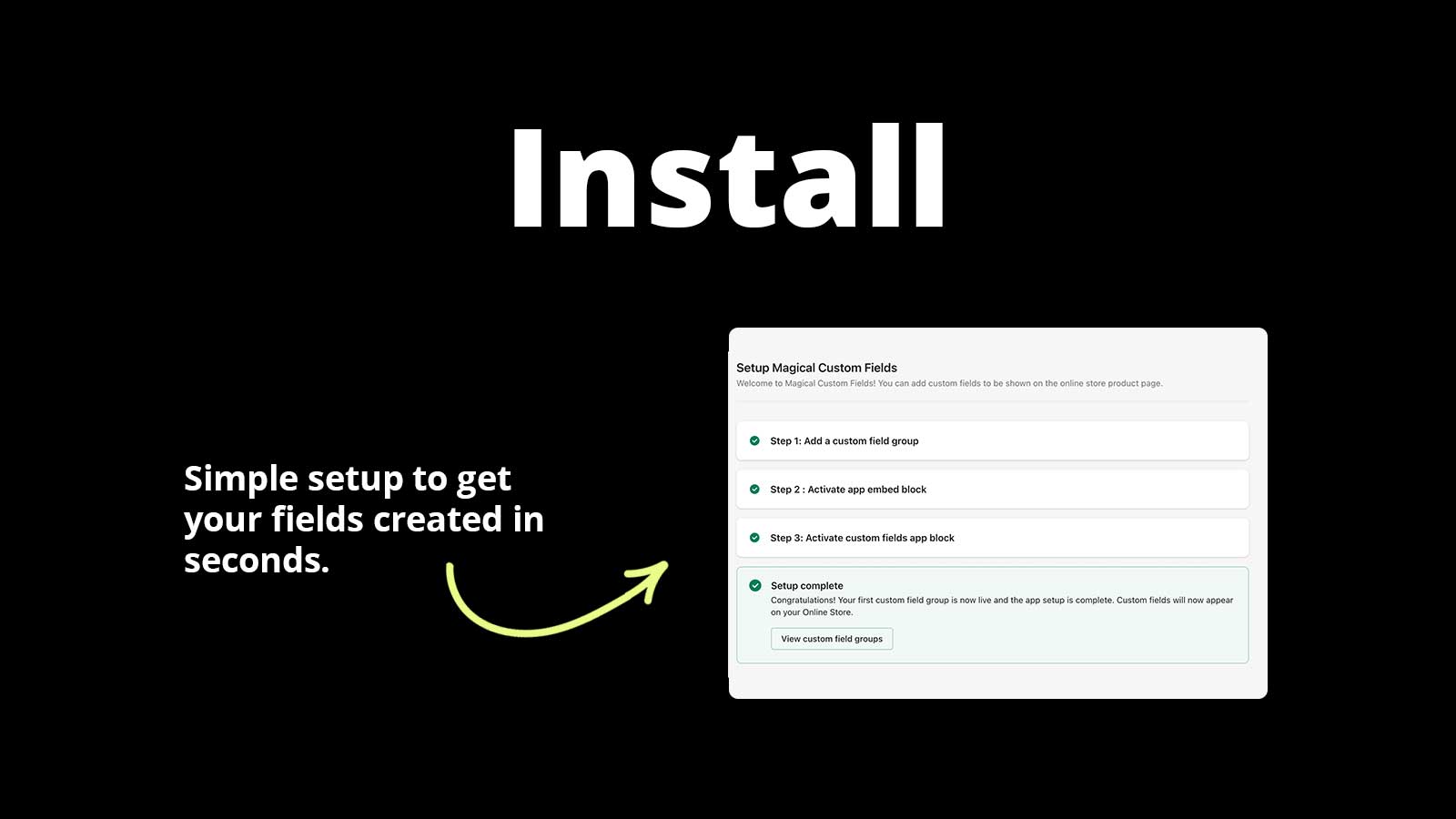
Install the app
Add Magical Custom Fields to your store. It works with your existing theme, no code required.
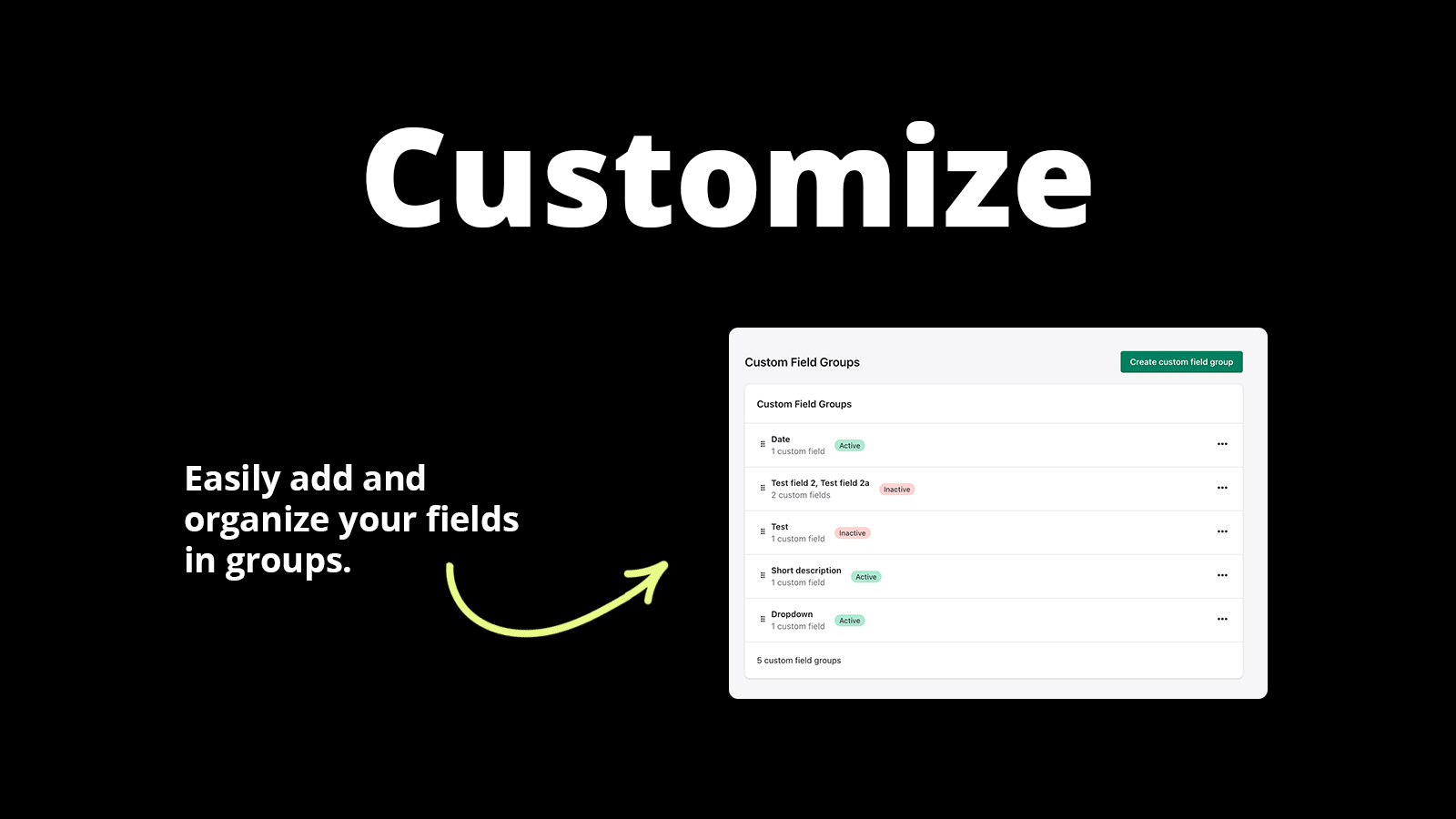
Build your fields
Create the fields you need, assign them to products or collections, and set optional pricing.
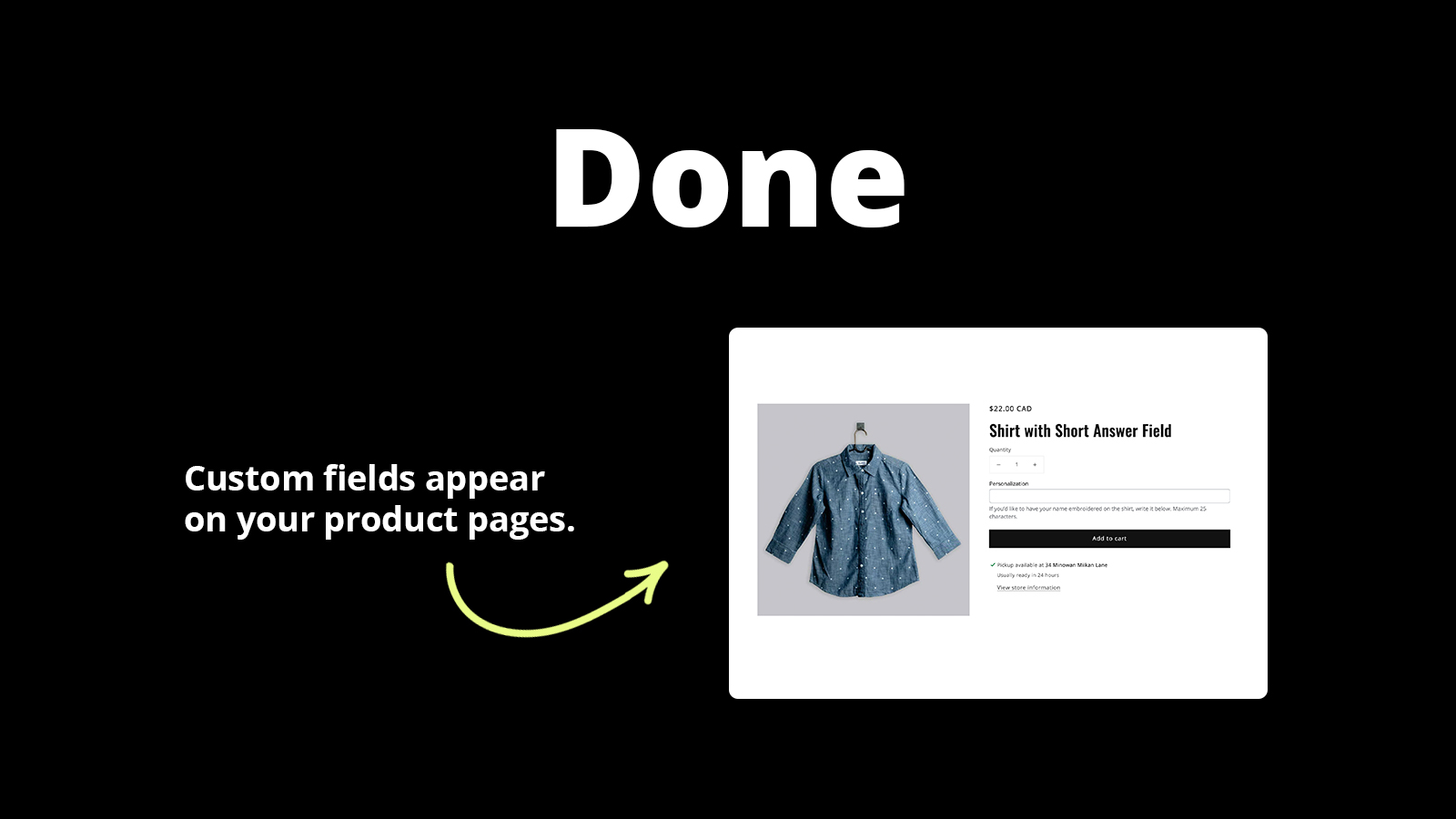
Collect and fulfill
Customer responses appear on orders and can be exported to CSV for fast, accurate fulfillment.
Reviews
What merchants are saying about Magical Custom Fields & Upload.
Reviewers consistently mention the deep customization options, the support team that will jump in and configure things for you, and long-term reliability.
“I love the app and Stephen was incredibly helpful. I used the app for the first time and got a little stuck. Stephen fixed my mistakes quickly and explained where I went wrong. I highly recommend it.”
“Amazing service, I have to have the customization on the products I sell. I'm also not great with technology. After I struggled for a few days, they emailed me to check on how it was going. After quickly realizing they needed to come in to help, they got it all set up perfect for me in less than an hour! Amazing service!”
“Love using this app for my shop! The customer service is so fast and unmatched, shoutout to Stephen for saving the day and assisting me with my issue! Will use this forever it makes customizing my listings so easy”
Pricing
Simple, transparent pricing. Try free for 14 days.
Plans
Choose the plan that fits your store.
Starter Plan
- Unlimited Fields
- Unlimited Support
- Unlimited Orders
- 8 Field Types
- Paid Fields
- Conditional Fields
- Customize Styling
Growth Plan
- All Starter Plan Features
- Checkout Custom Fields
- Checkout Extensions
Setup Guides
Step-by-step instructions to get Magical Custom Fields & Upload configured correctly.
How to Set Up Magical Fields
App Install InstructionsInstalling the app in Shopify is easy. Visit Magical Order Form Fields on the Shopify App Store.
View guide →How to Install Magical Fields
Installing Magical Order Form Fields is simple:Visit the Magical Order Form Fields page on the Shopify App Store. Click the “Install” button.
View guide →How to Set Up Magical Form Fields
Create a field group, activate the app embed, and add the fields block to your product page in a few steps.
View guide →FAQs
Quick answers to common questions and troubleshooting for Magical Custom Fields & Upload.
Known theme or app conflicts that prevent Magical Fields from working
If fields aren't working as expected, try uninstalling any extra apps you don’t need. Magical Fields may not work with other Shopify apps.
Read FAQ →All of my orders have the ‘Magical Form Fields’ tag. Is there a way to remove this with Magical Fields?
At this time, it is not possible to remove the ‘Magical Form Fields’ tag from orders. The tag is automatically applied to help you identify orders with custom field data.
Read FAQ →Can customers upload multiple files using the File Upload option with Magical Fields?
At this time, you cannot upload multiple files to a single File Upload field. If you want customers to upload more than one file, you’ll need to add multiple File Upload fields to your form.
Read FAQ →Videos
Watch Magical Custom Fields & Upload in action — demos, setup walkthroughs, and use case guides.



Articles
In-depth guides on strategy, comparisons, and advanced features.
How to Sell Used or One-Off Products on Shopify
Learn how to sell used or one-of-a-kind items on Shopify with tips for listing, archiving, and pricing items, and shipping oversized products.
Read more →Shopify Order Form Fields Guide
Learn what Shopify order form fields are, how to add them to your store, and find an app you can trust. Read Guide. Quick Read If you’re trying to add.
Read more →What are Shopify Order Form Fields?
Learn what Shopify order form fields are, explore common examples, and see how merchants use them to collect information from customers.
Read more →Don't see what you're looking for?
Not sure which app or feature fits your store? Have a custom requirement? Reach out — we're happy to help.
Ready to get started?
Install Magical Custom Fields & Upload on Shopify and see the difference today.
Install Magical Custom Fields & Upload on Shopify