Install Magical Vacation Mode from the Shopify App Store, then follow the two steps below to go live.
Step 1: Create a rule
- In Shopify admin, go to the Magical Vacations app.
- Click Create Rule.
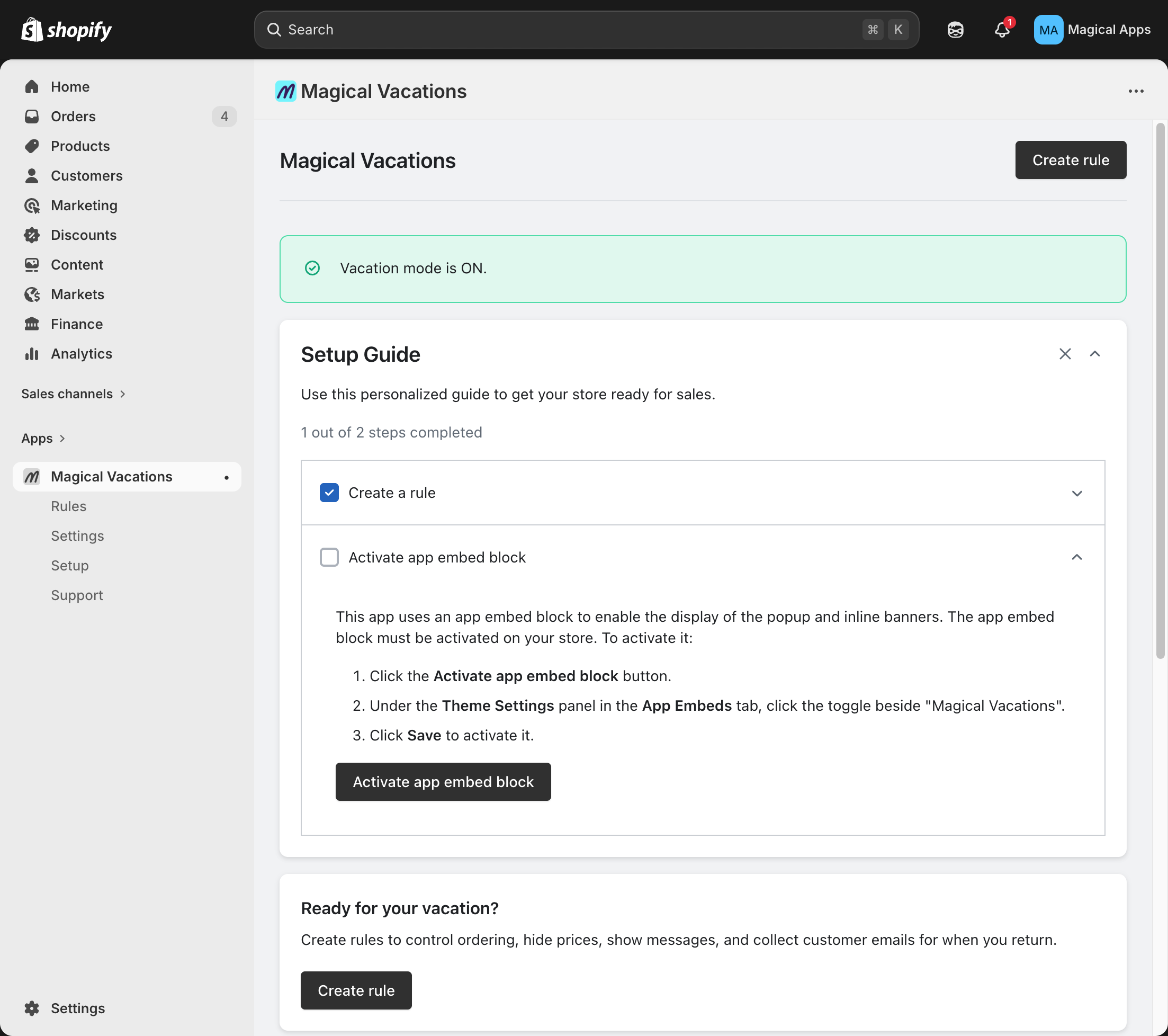
- On the Create Rule page:
- Enter a Title (e.g., "Spring Vacation").
- Under Message Content, type the message you want customers to see in your store.
- Schedule (optional): Set the schedule if your vacation starts in the future. If it starts now, leave the schedule as-is.
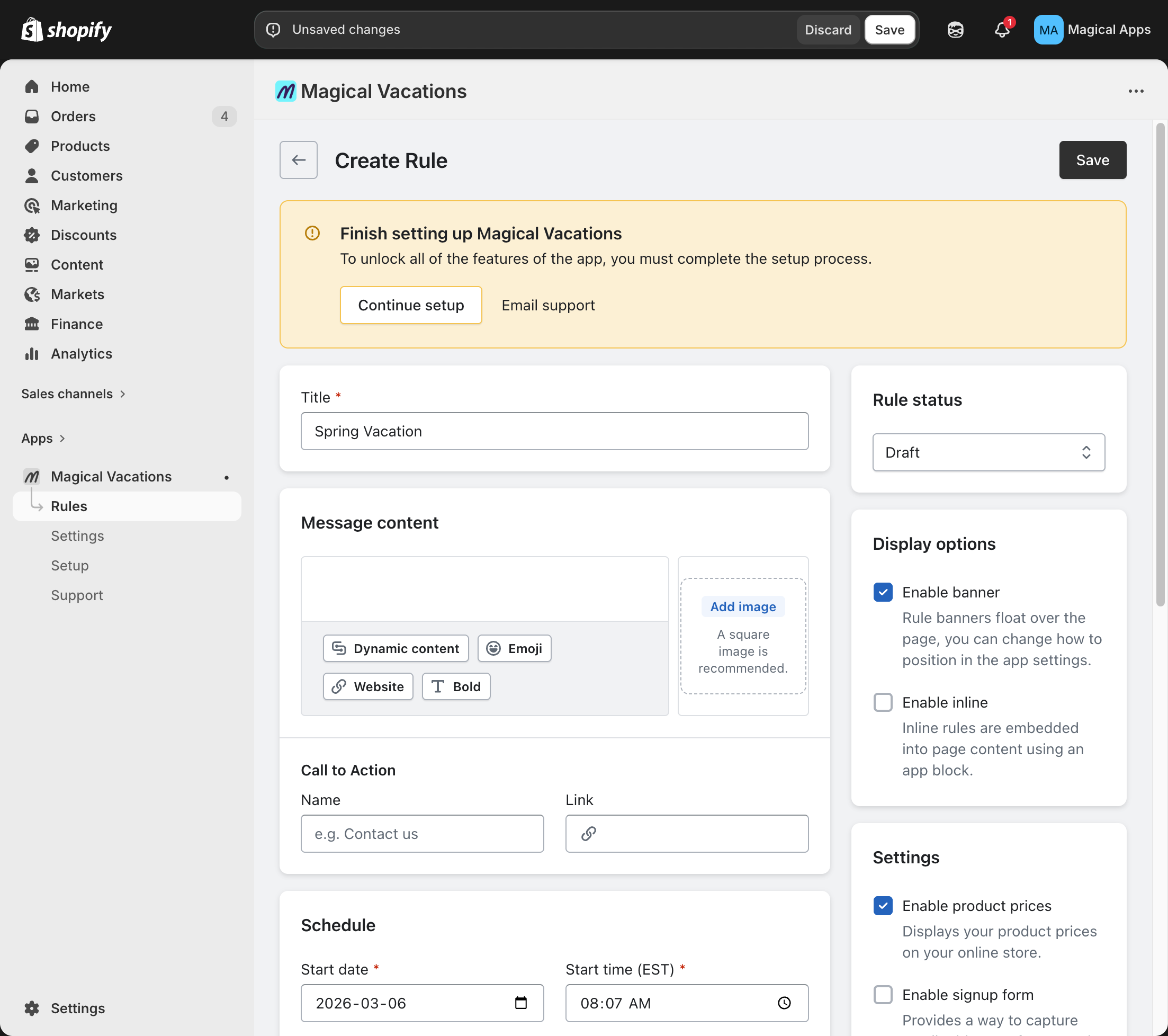
- Change the Rule status to Active.
- Click Save and confirm the rule shows as Active at the top of the page.
Step 2: Activate the app embed block
- In the Finishing setup Magical Vacations banner, click Continue setup.
- On the Setup Magical Vacations page, click Activate App Embed Block.
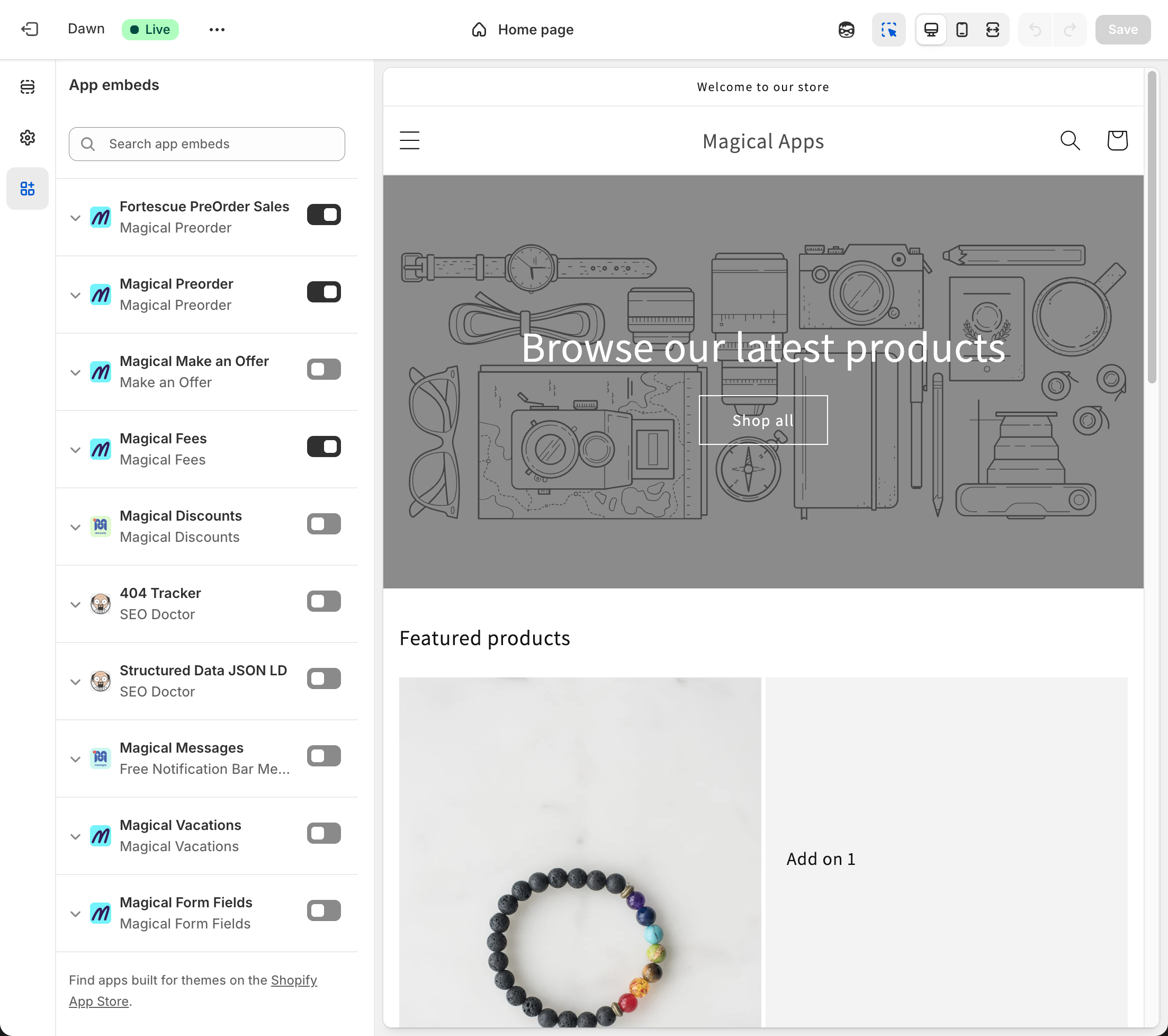
- In the theme editor, confirm Magical Vacations is toggled On in the left panel.
- Click Save.
That's it — Vacation Mode is now live on your storefront.
Vacation mode only blocks the online store
Vacation mode only disables the Add to Cart button on your online store theme. Orders can still come through via Apple Pay, Shop Pay, Google Pay, Shop app, PayPal Express, saved cart links, and other sales channels. The app hides the button via frontend injection on your theme — it cannot block checkout at the API level. If you need to fully prevent orders, also pause inventory or disable sales channels directly in Shopify. This is the biggest misunderstanding about vacation mode: it does not make it impossible to place orders, only harder for customers using the standard store flow.