In Make an Offer V2, you can decline one offer request or decline several requests together. You can choose whether to send a decline email.
Decline one offer request
- Open Offers and open the request.
- Click Decline.
- Choose whether to select Send the declined email to the customer.
- If you send the email, edit its subject or message as needed.
- Click Send to confirm the decline. If the checkbox is clear, the request is declined without an email.
Decline several offer requests
- Open Offers and select the requests.
- Click Decline offer requests.
- Review the selection and choose whether to select Send the declined email to customers.
- Click Decline.
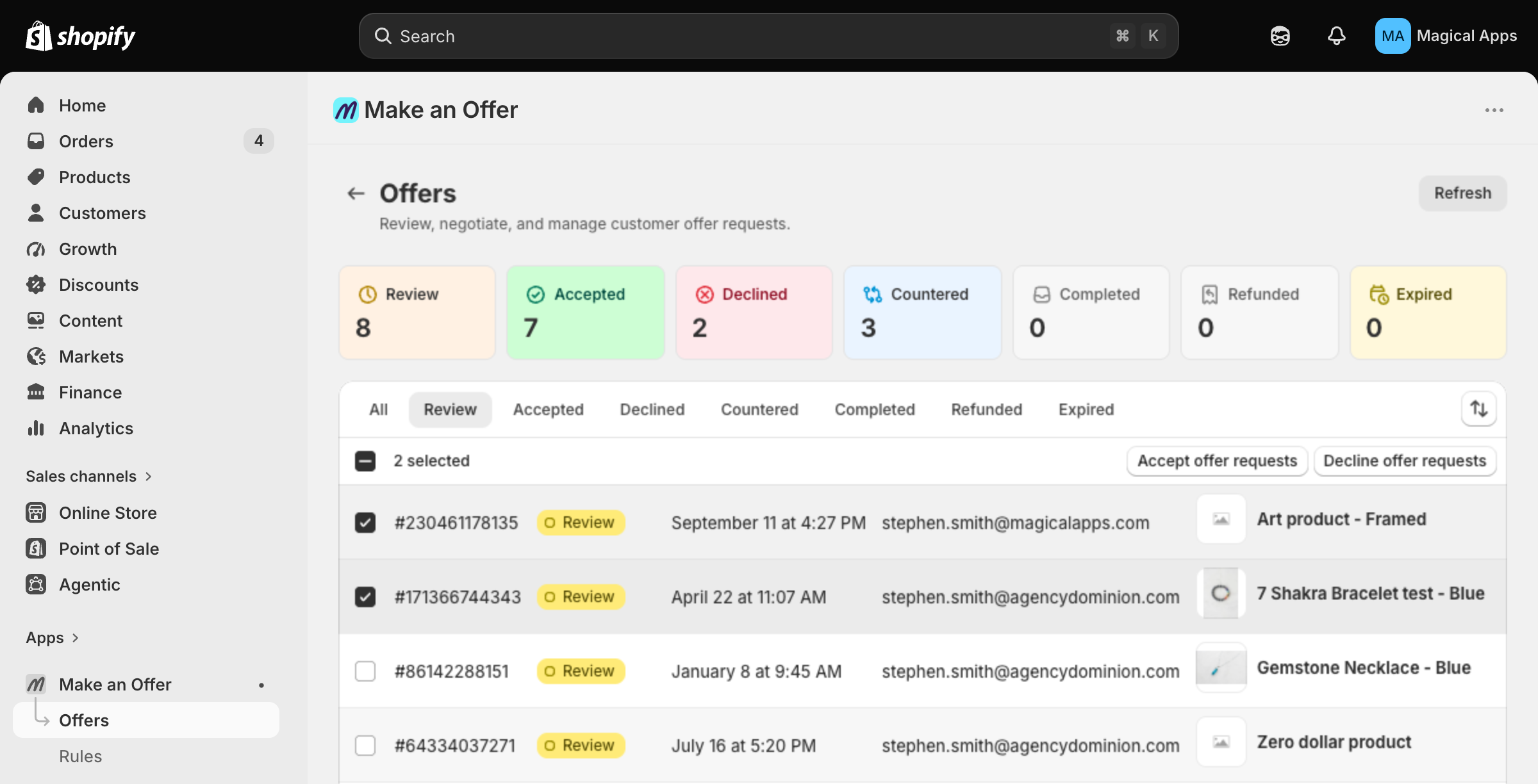
Only offer requests with Review or Countered status can change. Select all applies to eligible requests in the current view, up to 250 per run. Resolved requests are skipped. On a phone, open the selection actions menu to find the bulk actions.
The app shows progress while it works. Stop ends the run after the current batch; it does not undo completed changes. Check the result for skipped requests, failures, or email warnings before taking further action.
Set the default for decline emails
On Settings, in the Email section, set Email customers when you decline an offer request, then save. This default also applies to automatic declines. You can change the checkbox for an individual decline or a bulk run without changing the saved default.
Bulk declines use your saved Declined template from Email Notifications when email is enabled.
Legacy Version (V1)
Open Offers, find the offer, and click Decline. You can add a message before sending the decline email. Bulk review and the decline-email setting apply to V2.
Originally from our Help Center